solo 250 manual_last revision_en.doc
7/16
PROJECTOR DMX START ADDRESS
Each SOLO 250 must be given a DMX start address so that the correct projector responds to the
correct control signals. This DMX start address is the channel number from which the projector starts
to “listen” to the digital control information being sent out from the controller. The SOLO 250 has 10
channels, so set the No. 1 projector’s address 001, No. 2 projector’s address 011, No. 3 projector’s
address 021, No. 4 projector’s address 031, and so on.
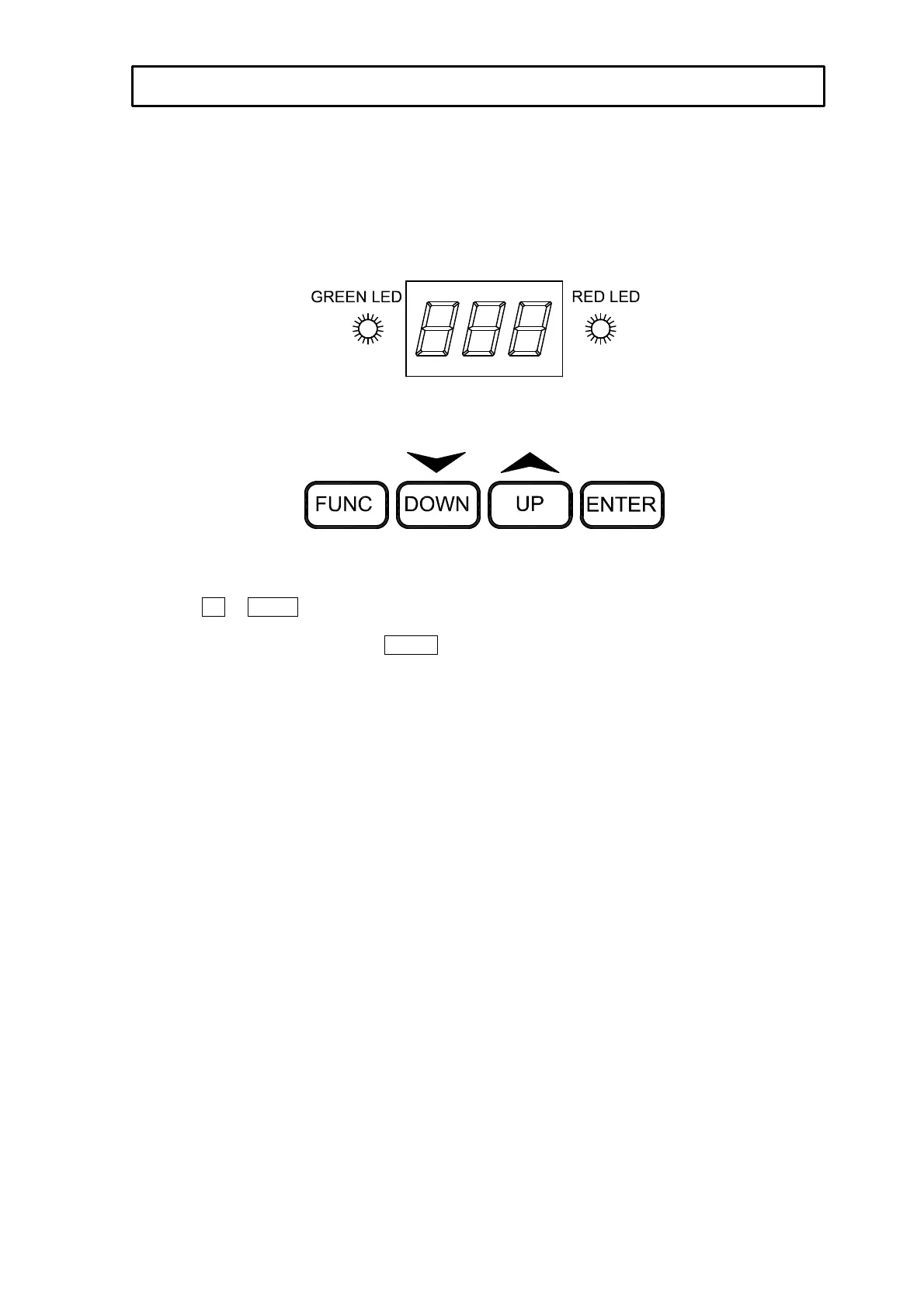
TO SET THE DMX START ADDRESS
Press the UP or DOWN buttons and the display will show the DMX start address.
Confirm your choice by pressing the ENTER button, this will save and set the DMX start address.
The display will show the latest setting each time the projector is powered up.
To control the projector with a DMX controller the DMX start address must be set.
Ensure that none of the Stand-Alone options are set or they will interfere with correct DMX operation.
TO SET THE DMX START ADDRESS


 To Next Page