12
08:30
45
Setting the kitchen timer
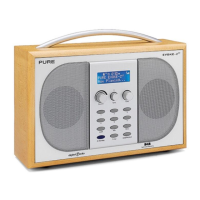
Evoke 2S has a countdown timer which will sound
an alarm after a set time period- handy for use in the
kitchen.
To set the kitchen timer
1. Press the Timer button, turn the Tune dial and
push to select ‘Kitchen timer’.
2. Turn the Tune dial to change the hours and push to
confirm. Turn again to change the minutes and push
to confirm and start the countdown timer.
The alarm will sound after the time period you have
set whether the radio is on or in standby. Cancel the
alarm tone by pressing any button on the radio.
To stop and reset the kitchen timer
To stop and reset the countdown timer to zero before it
sounds a beeping tone, press and hold down the
Timer button for three seconds until you see the
message ‘Timers cleared’.
Setting the sleep timer
Evoke 2S has a sleep timer that switches your radio into
standby (or off if powered by a ChargePAK) after a set
time period.
To set the sleep timer
1. Press the Timer button, turn the Tune dial and
push to select ‘Sleep timer’
2. Turn the Tune dial to increase the duration of the
sleep timer from 15 to 90 minutes in fifteen minute
intervals. Press the
Tune
dial to start the sleep timer.
You can see the amount of time remaining before the
kitchen timer sounds in the ‘Full screen time’ display
(see page 7).
To cancel the sleep timer
Select ‘Sleep timer’ (as above) and set the duration of
the sleep timer to ‘Sleep off’. Alternatively, press and hold
the Timer button for three seconds until you see the
message ‘Timers cleared’.
EVOKE_2S_manual_UK-Aus.indb 12 7/13/2012 4:29:38 PM



 To Next Page