9
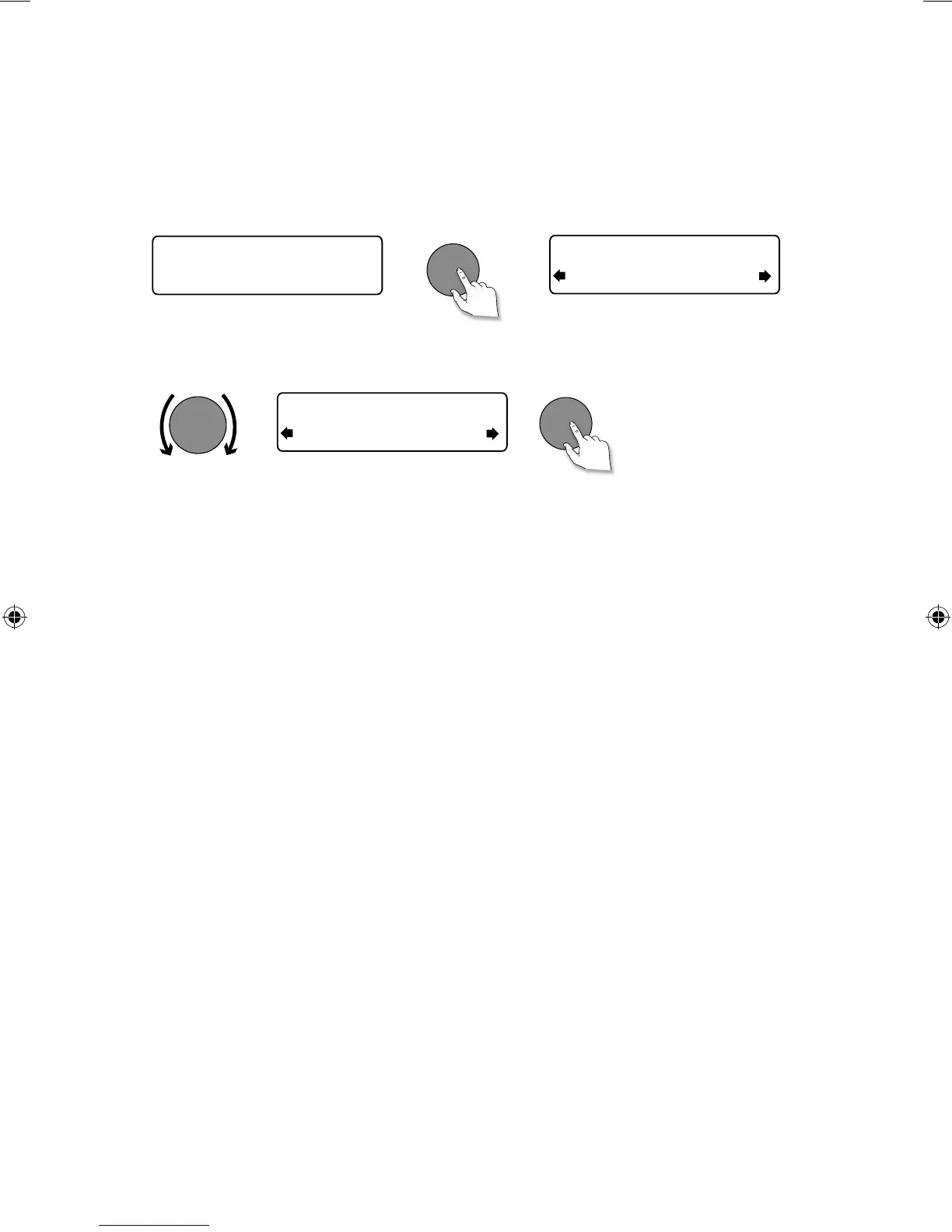
Using the front panel controls
1. When ‘Scrolling text’ information is displayed in either digital or FM radio, push the Select dial to
pause the scrolling text.
2. Turn the Select dial right and left to scroll forwards and backwards through the text. To exit push
the Select dial.
Using the remote control
1. When ‘Scrolling text’ information is displayed in either digital or FM radio, press the Select button to
pause the scrolling text.
2. Press the < > buttons to scroll forwards and backwards through the text. To exit press the Select
button again.
Now playing: Race For T
BBC Radio 6Music
Playing: Race For Th
BBC Radio 6Music
Prize by Flaming Lips
BBC Radio 6Music
> Exit
Select
Select
Select
Pausing and controlling scrolling text
EVOKE_D4_Euro.indb 9 9/3/2013 3:14:58 PM



 To Next Page