4
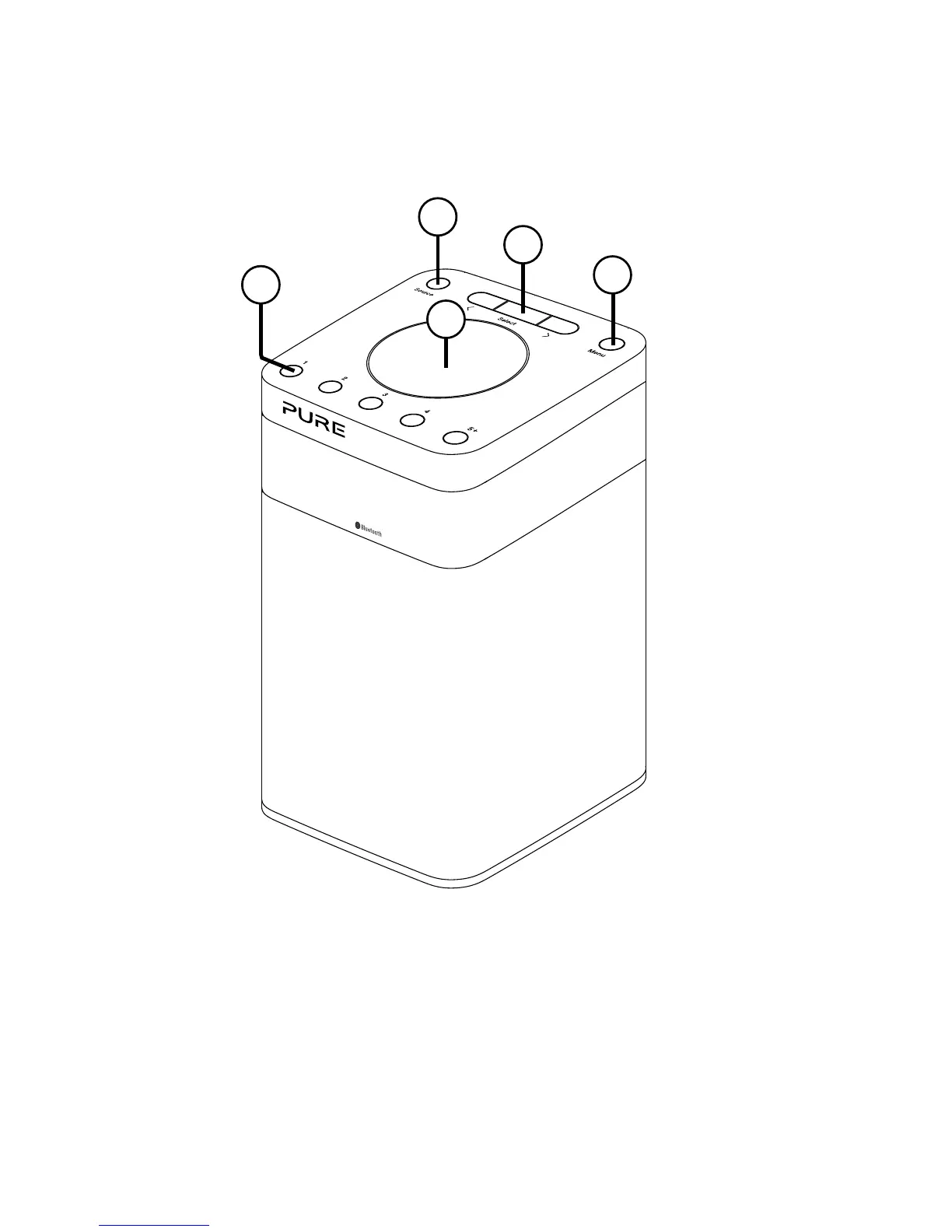
Top panel
Introduction
A. Power/Volume dial: Push to switch Pop on/off. Turn to adjust volume.
B. Menu button: Press to change various settings on Pop (see page 14
for more information).
C. Select buttons: Press to change radio stations (see page 9) or press
to scroll and select menu options.
D. Source: Press to switch between listening to digital radio and FM radio.
E. Presets 1 - 5+: Store up to 10 digital or 10 FM radio preset stations (see
page 10 for more information).
E
A
B
D
C



 To Next Page
 Loading...