7
1
Note: If you have a ChargePAK D1 rechargeable battery (sold separately) or AA
rechargeable batteries fit them now before plugging Pop in. See page 19 for
more information.
2
• Plug the mains adapter into the
mains supply (D).
Quick set up
Getting started
1
2
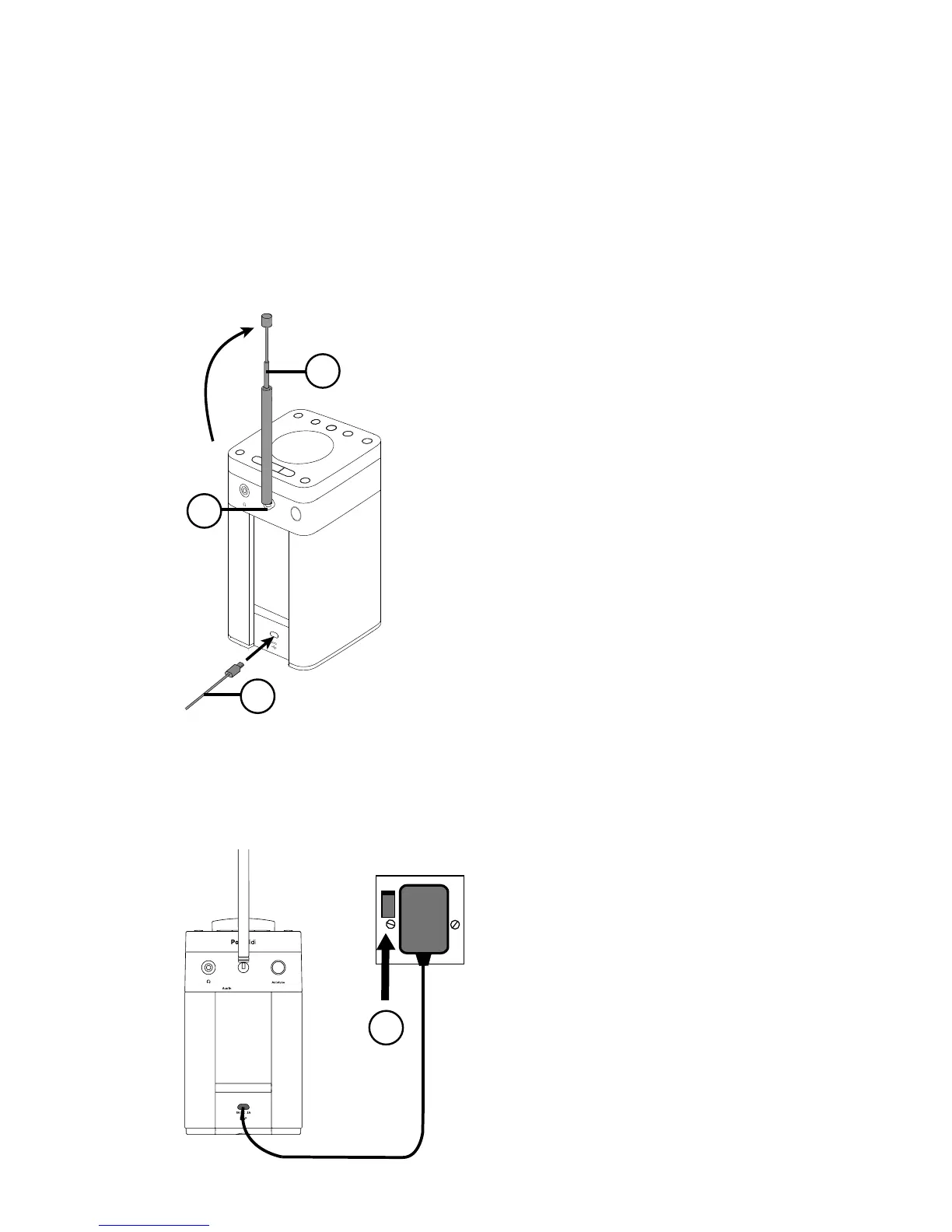
• Plug the mains adapter into the
mains supply (D).
C
A
B
D
• Rotate the aerial and fully extend it
(steps A and B).
•
Insert the jack of the supplied mains
adapter into the socket on the rear
of the radio (C).



 To Next Page
 Loading...