19. Verify that the system and its fan are operating
properly. When set to a high temperature, the heating system
should provide warm air after a short time. Likewise a cooling
system should provide cool air after a short time. Usually
sound from the furnace and air conditioning units can be
heard while they are running. The rush of moving air should
be heard within a short time after either has been started.
20. Your installation is now complete.
5 OPERATING BASICS
5.1 UP/DOWN CHANGE KEYS
These are the two upper keys just right of the units display.
They are used to adjust set temperatures, and make other
setting changes.
• Pressing these keys once will adjust a setting one step in
the associated direction.
• If there are many choices for a value, usually that setting
will advance while holding one of these keys. Some
settings though, must be changed one press at a time.
5.2 SET DAY AND TIME
To set the correct time after the unit has been unpowered or
after reset:
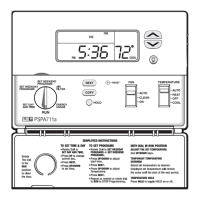
• Open the door on the front of the thermostat.
• Rotate the dial to
SET DAY/TIME
. The abbreviation for the
day of week will flash.
• Use the UP key to advance to the current day.
• Press
NEXT
to adjust the time. Time will flash.
• Use the
UP/DOWN
keys to set the time.
• Pressing
NEXT
again will toggle from Set Time to Set Day,
or vice versa.
• Return the dial to its
RUN
position.
5.3 TEMPERATURE CONTROL MODES
When a unit has first been powered up with the dial in the
RUN
position, your thermostat will begin to control your
heating and/or air conditioning system according to it's
default program. There is a 4-position slide switch to change
temperature control modes. Slide the switch to the mode you
would like to use.
5.3.1 HEAT
• Use HEAT mode to control your furnace and warm your
home.
• In HEAT mode,
HEAT
is displayed right of the set
temperature.
• While heating is active,
HEAT
will flash
5.3.2 COOL
• Use COOL mode to control your air conditioner, cooling
your home.
• COOL mode, COOL is displayed right of the set
temperature.
• While cooling is active, COOL will flash
5.3.3 AUTO CHANGE (AUTO)
• Use AUTO CHANGE mode to allow your thermostat to
switch between HEAT and COOL modes automatically.
Slide the mode switch to
AUTO
and
AUTO CHANGE
will
be displayed above the set temperature. You can
determine whether your thermostat is in HEAT or COOL
mode by whether HEAT or COOL is visible in the set
temperature area of the units display. Initially HEAT or
COOL may not be active until a determination is made that
HEAT or COOL is necessary.
• The programmed temperature for a given mode will be
used as the set temperature for that mode.
• Pressing the
UP/DOWN
keys at the same time will force
the unit to change modes and make the programmed set
temperature the new set temperature.
5.3.4 OFF
• Slide the MODE switch to
OFF
when no heating or cooling
is desired. Heating and cooling will be disabled, and the set
temperature side of the display will be empty.
5.4 DEFAULT PROGRAM
• As supplied from the factory, your thermostat will use its
default program for temperature control. This program and
all other settings maybe restored to their default values via
a SOFTWARE RESET. Please refer to DEFAULT
TEMPERATURE PROGRAM for program times and
temperatures.
5.5 HOLD
Hold is the simplest method to maintain fixed set
temperatures.
• Press
HOLD
once to enter permanent temperature HOLD
while in RUN or OVERRIDE.
HOLD
will be displayed above
the set temperature in the display.
• Pressing this button again will toggle HOLD off and return
to RUN and the programmed set temperature.
• Changing system mode or rotating the SPEED DIAL
®
will
also cancel a HOLD.
4


 To Next Page