7 ADVANCED FEATURES
7.1 KEYBOARD LOCK
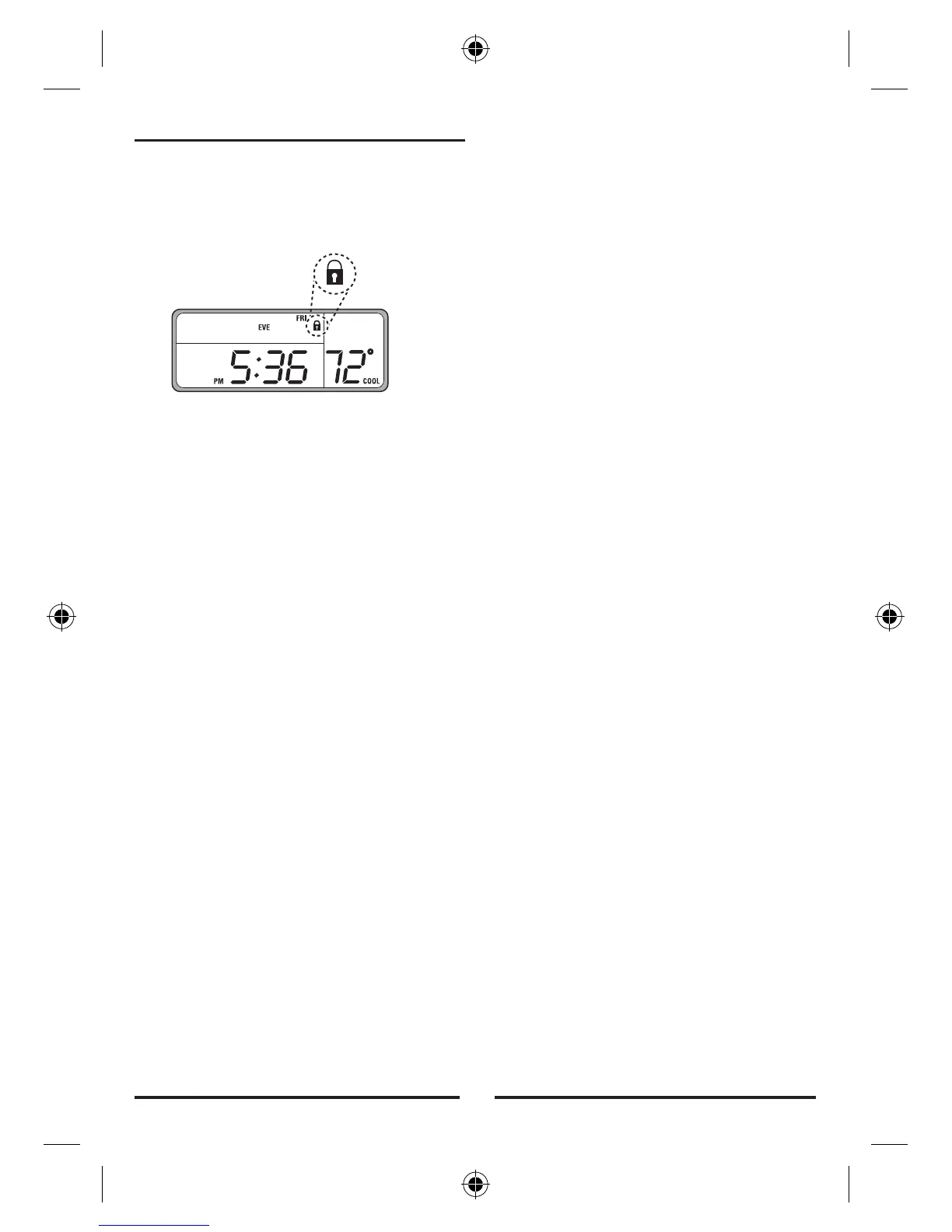
• To prevent tampering Press:
NEXT
,
NEXT
,
NEXT
,
HOLD
.
This sequence of keys will lock and unlock all settings and
programs. When locked, a padlock icon will be visible above
the time / temperature area of the display.
7.2 FILTER MONITOR
Your thermostat can alert you that your system’s air filter
should be changed, by displaying
FILTER
in the time
temperature display area once the system’s fan has run the
number of hours specified by this setting’s limit. The
presence of the word
FILTER
on the screen will not effect
the operation of the thermostat. If equipped, the filter is
located in your heating/cooling equipment.
7.2.1 FILTER USAGE
To view the number of hours the thermostat has activated the
fan since the last timer reset:
• Rotate the dial to the
AIR FILTER
position. The current
filter usage will be shown with
HRS FILTER
• To reset the timer to 0. press
UP
or
DOWN
once. Pressing
UP
or
DOWN
again will toggle between 0 and the current
value. The value in display when you exit this mode will be
the value retained in memory. Leave the value at 0 to reset
the timer.
• To exit the
AIR FILTER
mode, rotate the dial to another
position.
7.2.2 FILTER LIMIT
This general rule will provide you with a good estimate of
your filter’s life in hours. Assume that the fan will run at 1/3
duty cycle or 8 hours per day. Common 90 day filters are
then good for 90*24/3=720 hours of use. This is the default
limit value. Setting the filter counter limit to 0000 will disable
the change filter indicator. Valid entries are from 0 to
2000hrs.
To set the number of hours of filter use before replacement is
indicated:
• Rotate the dial to the
AIR FILTER
position. The current
filter usage will be shown with
HRS FILTER
• Hold
NEXT
for 2 seconds. The Filter limit will be displayed.
• Refer to your Air Filter package to determine your filters
recommended life. If given in days, multiply by 8 to find the
recommended setting in hours of filter usage.
• Use
UP/DOWN
keys to adjust the filter limit in 10 hour
increments to the recommended value.
• Rotate the dial to
RUN
finish this setting.
7.3 ENERGY USAGE
Your thermostat records the total number of hours the
thermostat has activated heating and cooling with six
separate timers. They measure:
• Today's cumulative heating time
• Yesterdays cumulative heating time
• Total cumulative heating time
• Today's cumulative cooling time
• Yesterdays cumulative cooling time
• Total cumulative cooling time
To view
HEAT
or
COOL
energy usage:
• Slide the mode switch to
HEAT
or
COOL
.
• Rotate the dial to the
ENERGY USAGE
position, to review
today's usage.
HRS USAGE
,
Mode
and
Current Day
are all shown along with the usage value.
• Press
NEXT
to review yesterday's usage.
• Press
NEXT
again to review Total usage. The Total timer
may be changed to zero by pressing
UP
or
DOWN
while
Total time is displayed. To restore count, press
UP
or
DOWN
again.
• To finish review and/or reset of this modes energy monitor,
rotate the dial to another mode, the current values will be
the values retained in memory. Leave the value at 0 to
reset the cumulative timer.
7.4 CALIBRATION OFFSET
Your thermostat is accurately calibrated at the factory to
within ±1°F An offset value up to ±5°F may be added to the
temperature value that the thermostat measures. This may
allow you to match this thermostat to another. To change this
offset from its default value of 0:
• Open the door on the front of the thermostat.
• Rotate the dial to
SET DAY/TIME
.
• Simultaneously press
NEXT
and
HOLD
. The Temperature
Offset value will flash.
• Use the
UP/DOWN
keys to adjust the offset value.
• Return the dial to its
RUN
position to accept the new value.
7.5 RESET
Your thermostat has two RESET buttons. The Software RESET
is on the front of the thermostat behind the door. It is labeled
RESET
. HARDWARE RESET is on the rear of the circuit board.
7


 To Next Page