EasyManua.ls Logo

Purex iFume Series - User Manual

Purex iFume Series
20 pages
Print Icon
To Next Page IconTo Next Page
Loading...
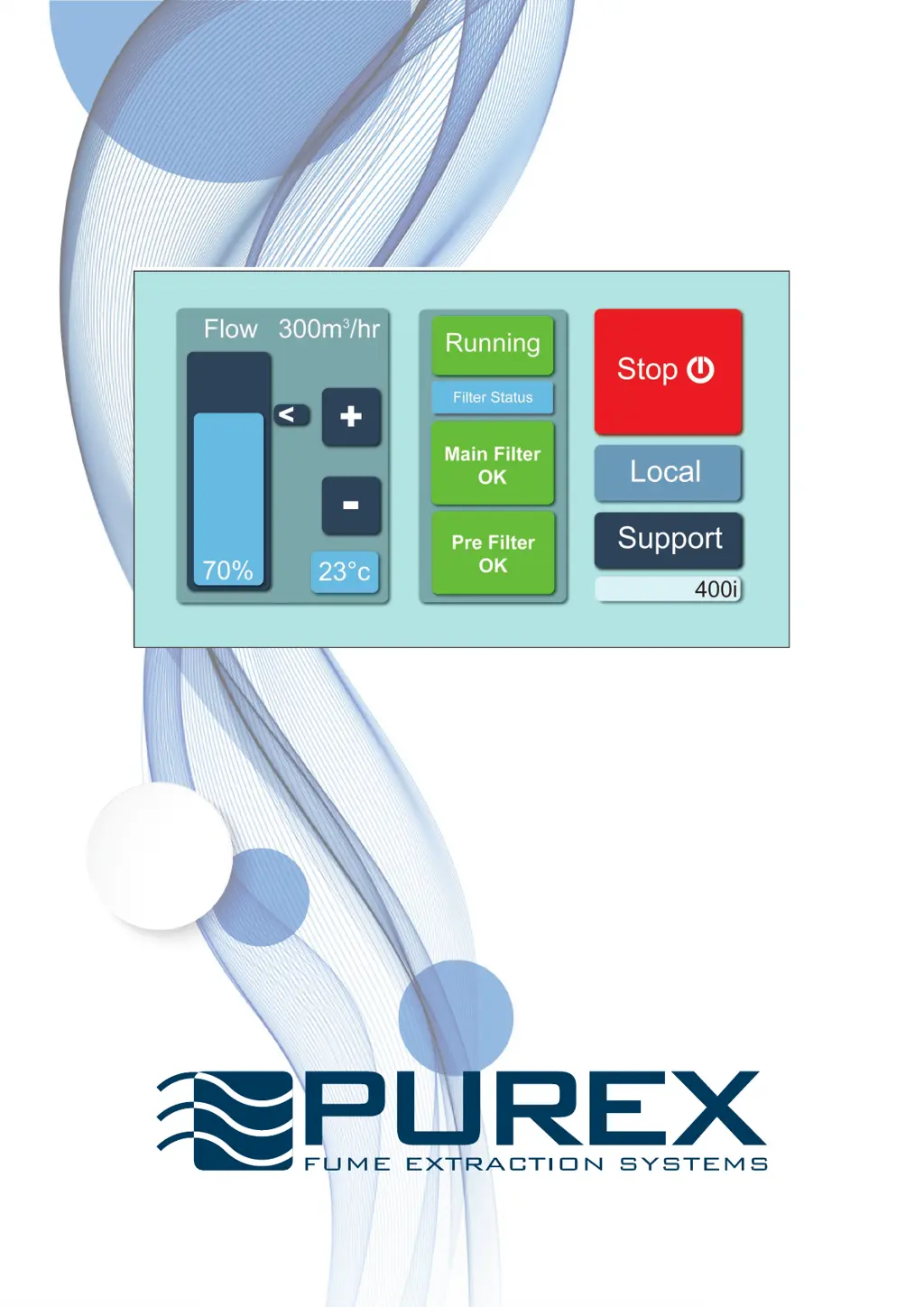
iFume Operating Manual
Visit www.purex.co.uk for more information.
“The future of fume extraction”
822010 rev 4

Questions and Answers

  • A
    aarongrossAug 20, 2025
    Why is there odour or particles in exhaust air from my Purex iFume, even without machine alerts?
    • D
      Donald LevineAug 20, 2025
      The exhaust monitor unit inside your Purex Air Cleaner might have a fault. Begin by inspecting all cables and connections. If the issue continues, contact your supplier.
  • A
    Anita EllisAug 22, 2025
    What to do if Temperature (red) alert appears on Purex iFume?
    • A
      Anthony BrownAug 22, 2025
      If a Temperature (red) alert appears, first ensure that nothing is blocking the cooling vents located at the rear of the extractor. Then, check the process temperature and turn off the extractor.
  • P
    Patricia HendersonAug 25, 2025
    What to do if Temperature (yellow) alert appears on Purex iFume Air Cleaner?
    • B
      bmatthewsAug 25, 2025
      If you receive a Temperature (yellow) alert, check that the cooling vents on the rear of the extractor are free from obstructions. Also, check the process temperature.
  • S
    Shannon MorrisAug 26, 2025
    What to do if my Purex Air Cleaner screen is not illuminated?
    • B
      Beverly SmithAug 26, 2025
      If the screen is not illuminated, there could be several reasons: * The power supply might be absent or incorrect. Check all cables and connections, ensuring the power supply matches the machine's requirements. * The circuit breaker might have tripped. Try resetting the breaker on the rear of the machine. * The control PCB inside the machine may have developed a fault. Check all cables and connections first. Then contact your supplier.
  • A
    Anna ChapmanAug 27, 2025
    What to do if Particulate (red) alert appears on Purex iFume?
    • M
      mariawhiteAug 27, 2025
      If a Particulate (red) alert appears on your air cleaner, replace the main filter.
  • J
    johnsonannAug 29, 2025
    What to do if GAS (red) alert appears on Purex iFume Air Cleaner?
    • L
      Lacey ReynoldsAug 29, 2025
      If a GAS (red) alert appears, you should replace the main filter.
  • K
    Kenneth OrtegaAug 31, 2025
    Why does my Purex iFume Air Cleaner filter have a shorter than expected life?
    • M
      Marissa ByrdAug 31, 2025
      A shorter than expected filter life may be due to: * A problem with the pre-filter. Check the pre-filter for damage or if it is missing. * Changes in the process or its duration, including the use of different materials. Investigate any changes in these factors. If the issue continues, contact your supplier.
  • B
    Barbara GraySep 2, 2025
    What to do if Particulate (yellow) alert appears on Purex Air Cleaner?
    • A
      Angelica HarrisSep 2, 2025
      If you see a Particulate (yellow) alert, order a replacement main filter.
  • M
    Mrs. Stephanie WarnerSep 4, 2025
    What to do if GAS (yellow) alert appears on Purex iFume?
    • T
      thomas72Sep 4, 2025
      If a GAS (yellow) alert appears, order a replacement main filter.
  • C
    Christopher OrtizSep 6, 2025
    What to do if the Purex Air Cleaner control signal to/from interfaced equipment is incorrect?
    • M
      mitchelljasonSep 6, 2025
      If the control signal to or from interfaced equipment is incorrect, and the equipment isn't switching on and there's an alarm, it indicates an electrical problem. Check all cables, connections, and the interfaced equipment.

Summary

EC Declaration of Conformity

Warnings

Routine Maintenance

Installing the Machine

Touchscreen Control System

Setting the Machine for the First Time

Max Flow Configuration

Configure the maximum airflow rate for optimal efficiency and filter life.

Machine Operation and Airflow Adjustment

Learn how to switch the machine on/off and adjust airflow rates.

Setting Special Features

Alarm Relay and Unit Settings

Configure alarm relay state and unit display settings.

Lockout and Timer Configuration

Set button lockout and run-on timer features.

Filtration & Changing Filters

Filter Replacement Procedure

Step-by-step guide for replacing pre-filters and main filters.

Filter Compartment Access

Instructions on how to open the filter compartment door.

Warning and Alarm Signals

Interpreting System Alerts

Understand various warning and alarm signals displayed by the machine.

Troubleshooting

Addressing Common Issues

Guide to identifying and resolving common problems and alarms.

Terms & Conditions

Warranty Registration

Purex iFume Series Specifications

General IconGeneral
BrandPurex
ModeliFume Series
CategoryAir Cleaner
LanguageEnglish

Related product manuals