6
PETIVITY™ : POWERED BY PURINA
3. Choose a Power Source
You have two options for powering your monitor. Use either the power
cord or batteries provided, whichever is most convenient for the
location of your monitor. (If your cat is a cord-chewer, we recommend
using batteries.)
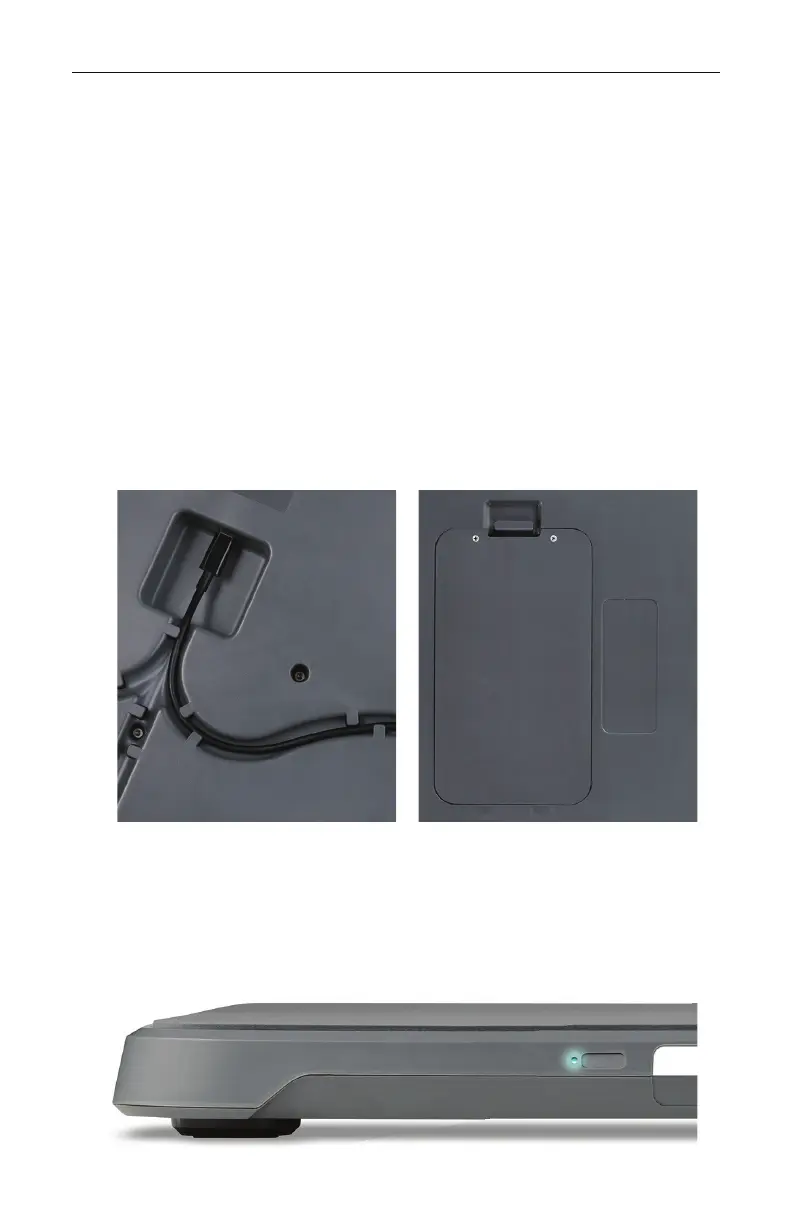
IF USING POWER CORD: Find the power jack on the bottom of your
monitor. Plug the power cord in and run the cord through one of the
provided channels.
IF USING BATTERIES: Find the battery cover on the bottom of your
monitor. Using a Phillips head screwdriver, remove the two screws
holding the cover in place. Insert batteries and replace cover.
If the blue light on the side of the monitor stops flashing before the
app prompts you to sync your monitor, simply press the power button
to re-initiate pairing mode.



 To Next Page