11
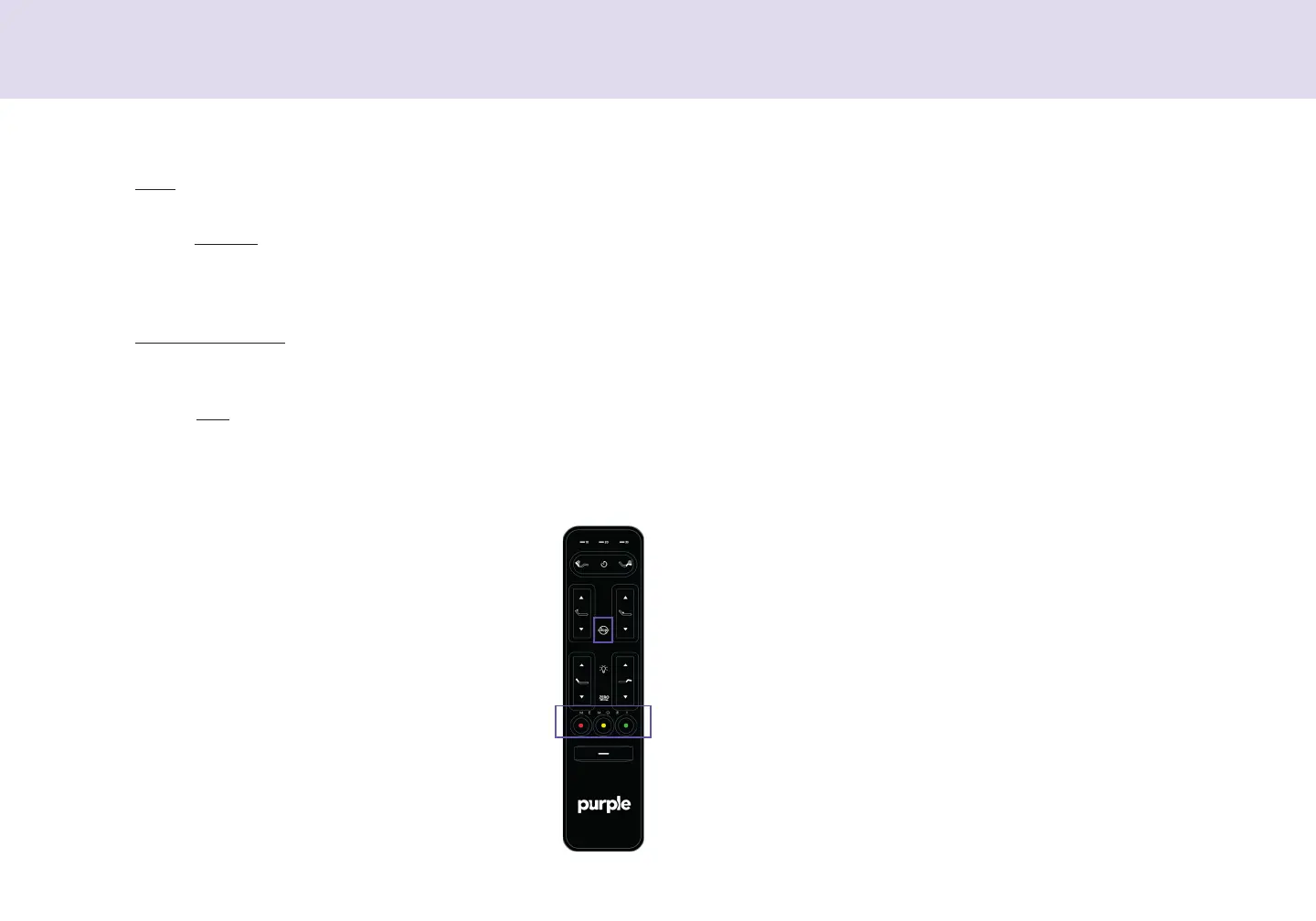
Remote Contol
Button Functions
Button Functions (continued)
1. Aticulate the head and foot to you desied
position.
2. Pess and hold one of the Memoy Peset
buttons (•••) o Anti-Snoe fo 5 seconds.
Afte 5 seconds, the massage time will ash to
indicate the position was successfully saved.
3. Note: To estoe the peset buttons back to
thei oiginal factoy settings, hold Flat and
Zero-G
®
simultaneously fo at least 5 seconds.
The oiginal pesets will be estoed.
*Save a new preset position
Memoy and Anti-Snoe Pesets can be saved via app o
emote. Saved positions can be enabled via eithe app o
emote. To save a new peset position in the emote:
How to disable motion sensors:
In the Settings Tab of the Puple Smat Base app, you can tun on/
o the motion sensos. Undebed lighting can tun on/o via app o
emote by tapping the light button.
Child lock:
I. The Foot aows lift and lowe the foot section of the base.
J. One Touch Zero-G
®
peset position adjusts you legs to a highe
level than you heat, helping to elieve pessue o the lowe
back and pomote ciculation.
K. The Memory Presets* will adjust the head, foot, lumba and pil-
low tilt to you favoite customized position.
L. One-touch Flat peset position lowes the base to a at positon.
Fo safety puposes, the child lock function locks the emote contol
to pevent any accidental button pesses and bed movements.
• To enable child lock, pess and hold the Head Up aow + Flat
peset button until the emote ashes. The emote is now
locked.
• To disable child lock, pess and hold Foot Up aow + Flat peset
button until the emote ashes. The emote will now opeate
nomally.


 To Next Page