8
Installation Guide
For customer support, visit www.ergomotion.com or call: 1-888-550-3746
STEP 5
STEP 4
Always use two people when setting up the base.
STEP 3
Uncoil input Cod (connected to Contol Box’s
Powe pot) and plug into Powe Supply.
Smart bases can be used within most
bed frames. When the base is placed
in furniture, the motion detector may
be blocked. Motion detectors can be
unplugged if usage is not desired. The
underbed lighting can still turn on/o
using the remote or app.
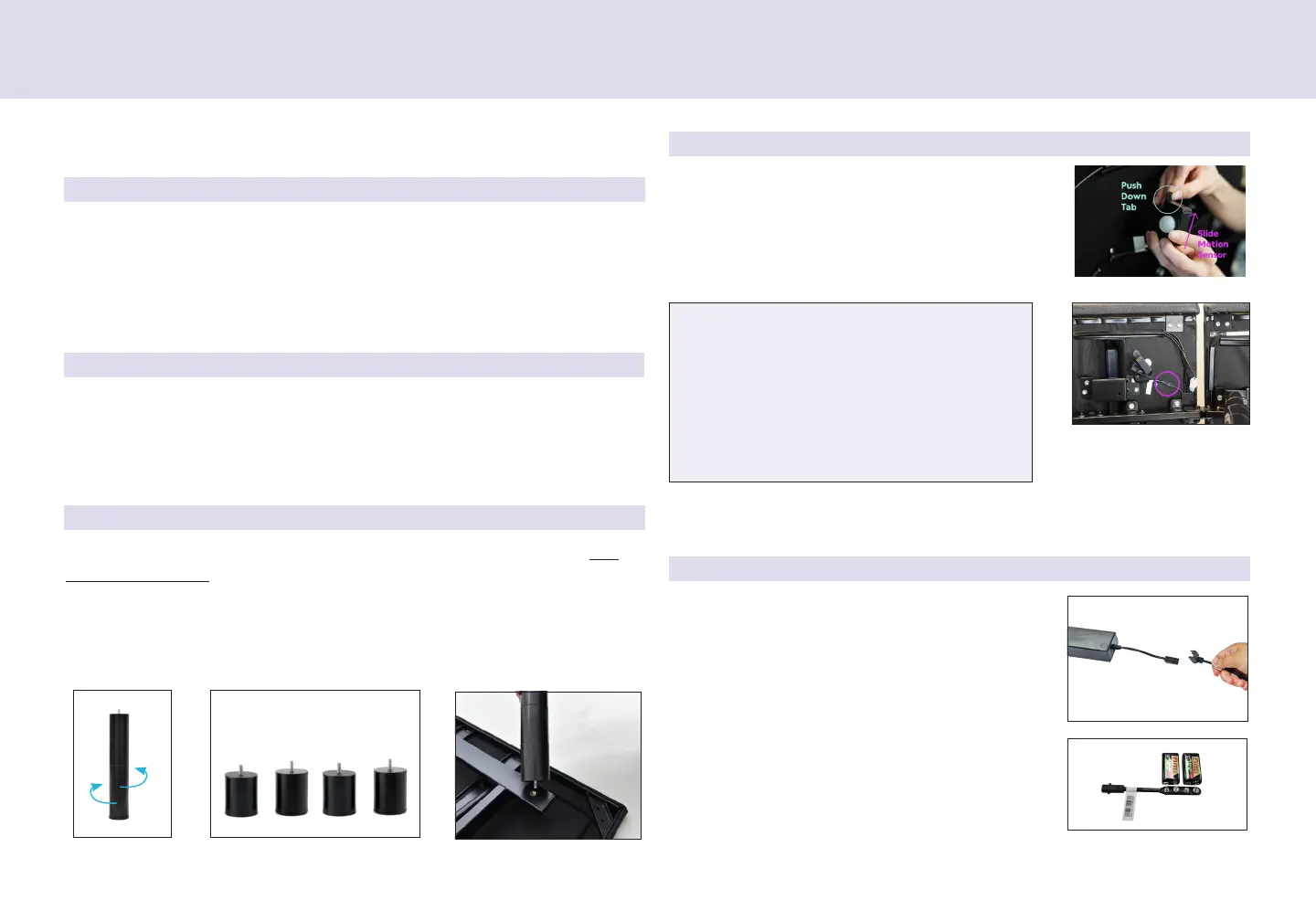
• Locate the Backup Battey Stap and
9-volt alkaline batteies (not
included). Stoe the stap and batteies
in an accessible location in case of an
emegency powe outage.
To install the legs, scew the leg into the nutset on the fame. Do
not over tighten. The stackable legs untwist into sepaate sections
fo custom leg height options.
The base can be used without legs, esting at on a platfom bed
fame. Fo you safety, ensue that you bed fame can suppot the
weight of you base, mattess and sleepe(s).
Motion detectos ae pe-installed. If the
base will be used without legs, the motion
detectos need to be emoved. To emove,
push up on the leve and slide the motion
detecto out.
STEP 1
STEP 2
Place the bed base box in a desied location with the bottom of the
box facing up.
Remove the binding staps and packing mateials, making sue not to
punctue the box with any shap objects.
Flip the box ove and emove the top of the box.
Next, emove the base fom the box, unfold and keeping the bottom of
the base upwad.


 To Next Page