12
Remote Contol Paiing
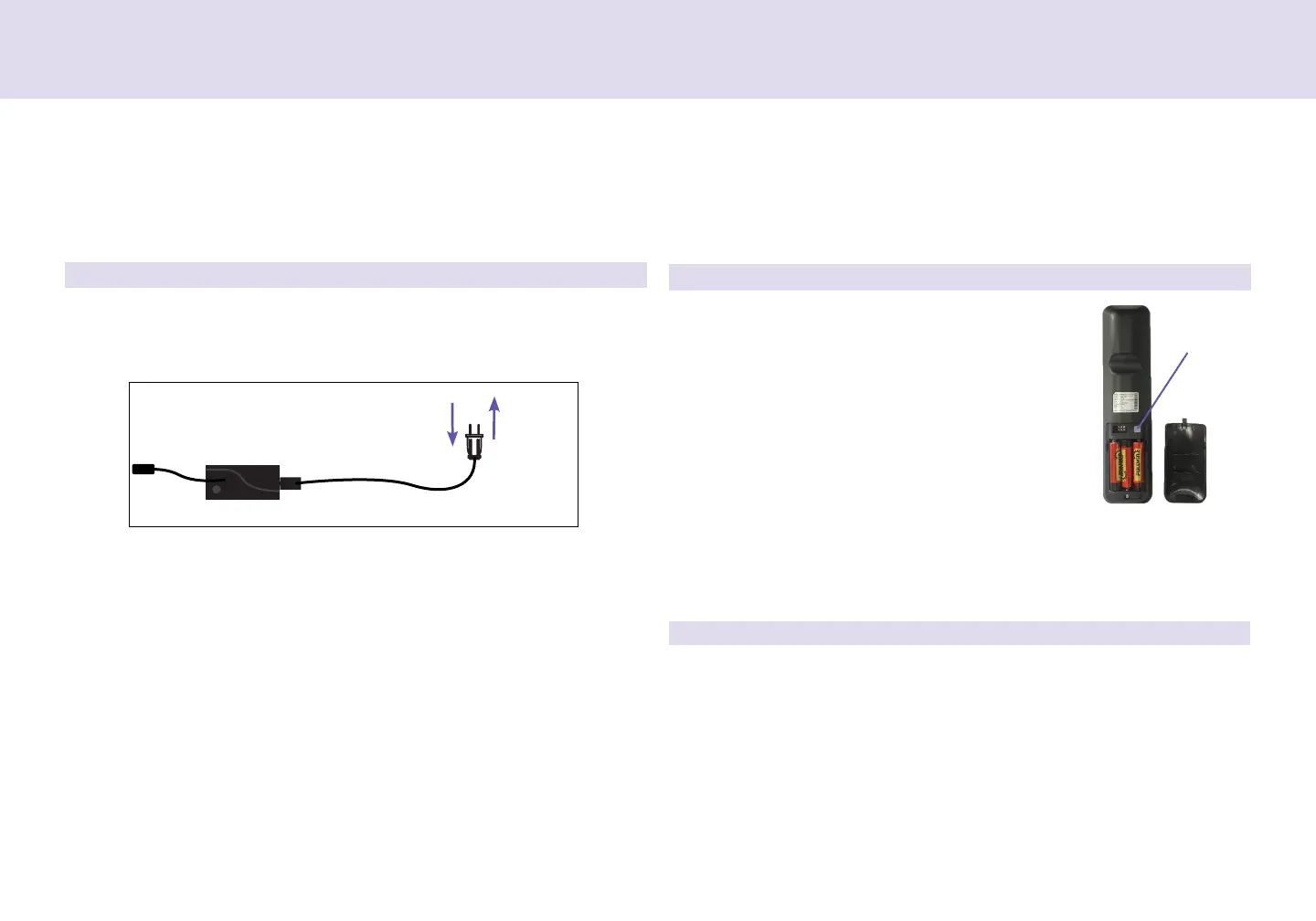
Unplug the Powe Cod fom you powe outlet. Wait 1 minute,
then plug it back in to you powe outlet. Pefom Step 2 within 10
seconds, while the contol box light is ashing.
The emote is now paied to the adjustable base. Test all emote
functions. If the emote buttons do not impact the adjustable base
movements, please epeat the pocess again o call Egomotion
custome sevice: 1-888-550-3746
STEP 1
STEP 3
STEP 2
The original remote that comes in the box is already paired to the adjustable base. No further
action is required. In the event that the remote is not paired with the base, follow the steps below.
Power Cord
Power Supply
Remove the back cove on the emote. Pess
and hold the PAIR button on the back of the
emote. The PAIR button will illuminate and
stat to ash. When the PAIR button stops
ashing, the LED light on the contol box will
stop ashing. Release the PAIR button.
PAIR Buon


 To Next Page