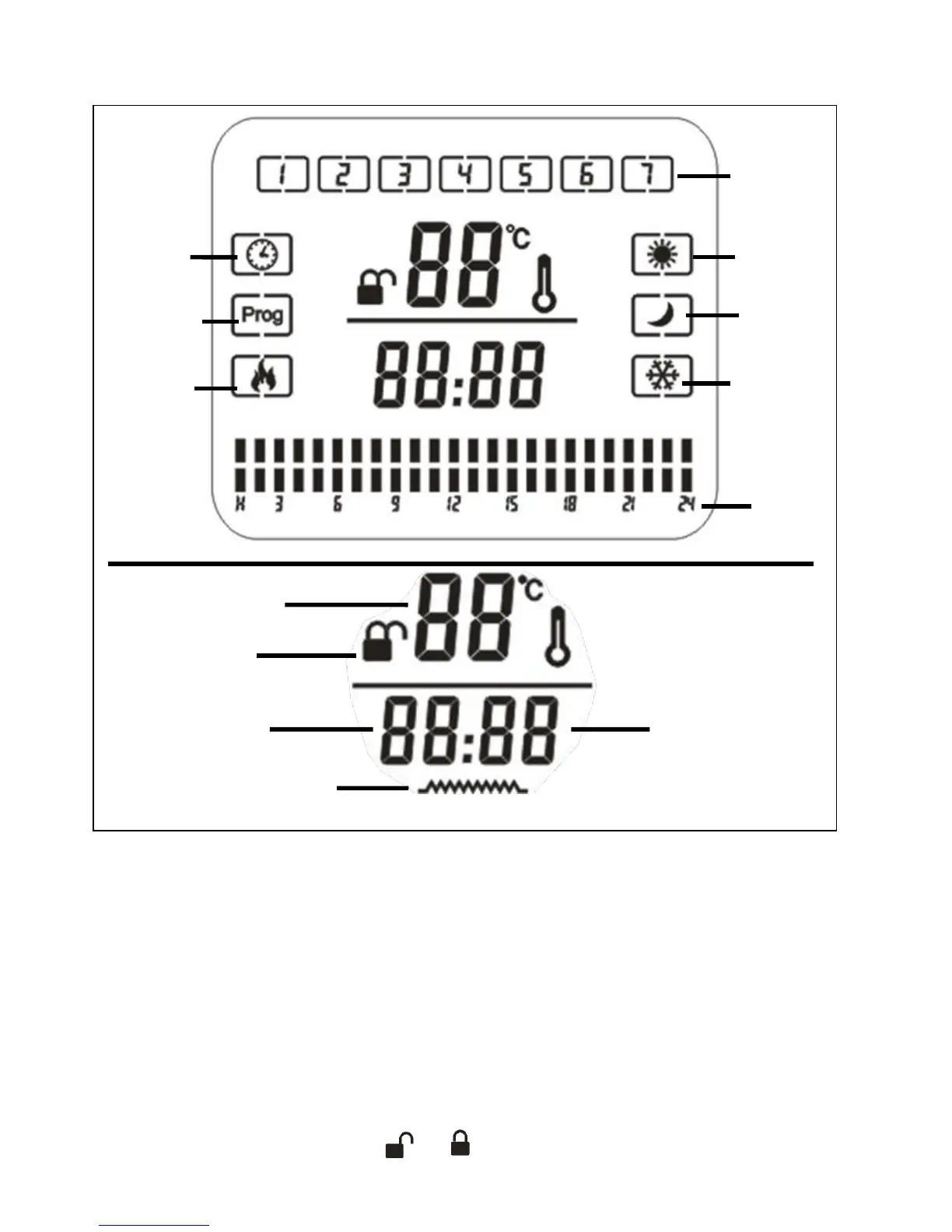
Display Screen
First Use
Warning! Before using the equipment for the first time, check that the voltage supply is
the same as the voltage details set out on the rating label.
Read the safety instructions carefully. When the equipment is used for the first time or
after a long period of rest, it may emit an odor for a short time. This is not a fault.
1. Plug in the unit’s power plug into a 220-240V AC electrical outlet.
2. The first step when you want to use the appliance is to turn on the Power switch.
3. After the main switch is activated, the equipment will be in standby mode and the
screen will light up. The symbol or will be shown on the screen. It means that



 To Next Page