the child lock function of the heater is in non-locked or locked status. Please read the
instructions carefully and then continue to operate the heater.
“ / ” Switch/ Child Lock Button
1. If the lock status displays symbol, press the “ ” button to turn the heater
on.
2. If the lock status shows symbol, press " " button for 3 seconds, the child
lock function is now un-locked, the screen shows symbol, then press " "
button to turn on the heater.
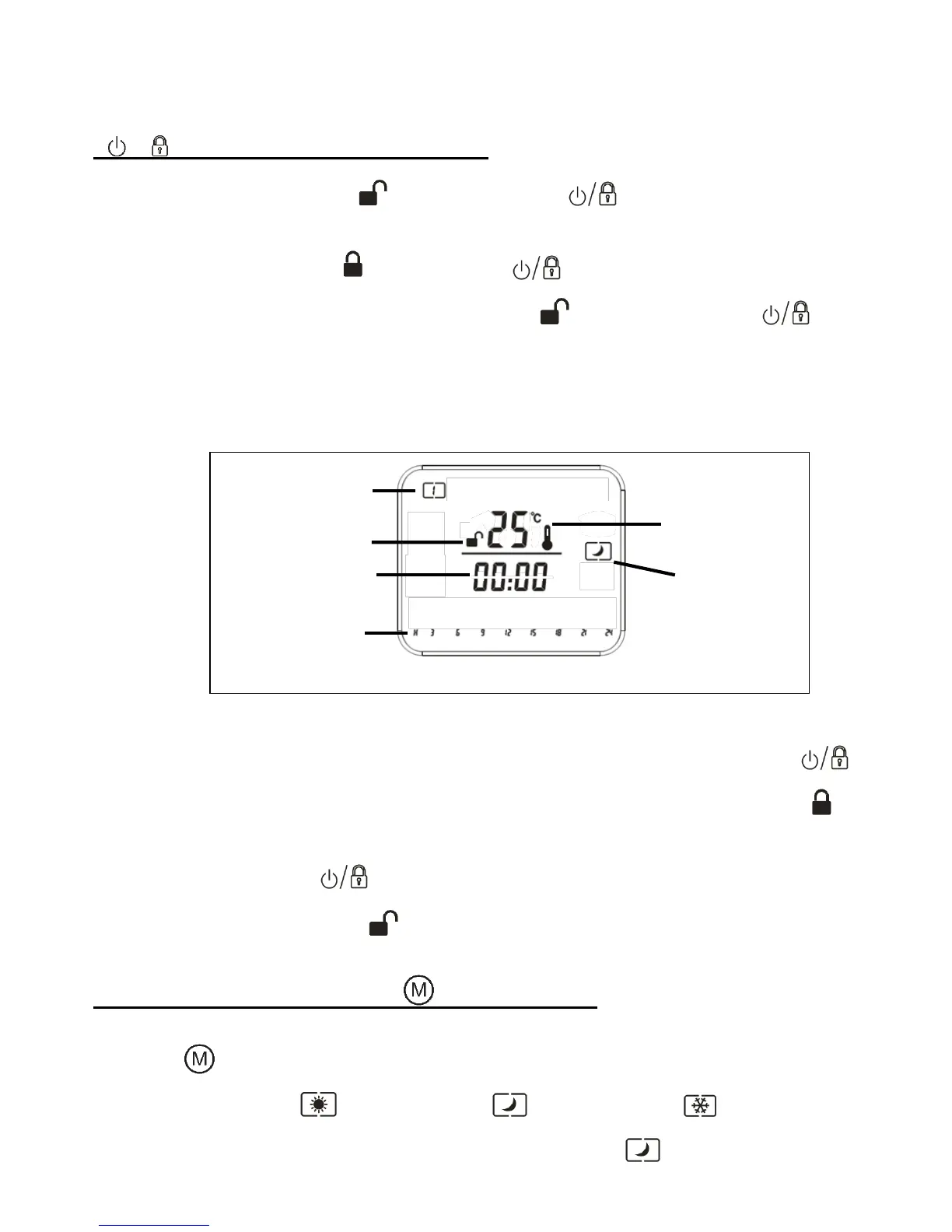
3. When the heater is first operated, the screen shows the day, the child lock status,
indoor temperature, heating mode and time. (See fig.9)
4. After the setting of the heater time cycle function (please see fig.13), press " "
button for 3 seconds, the child lock function will be activated, the screen shows
symbol. When the heater is locked you cannot operate the heater or press any key. If
you need to unlock press " " button for 3 seconds, the child lock function will turn off,
and the screen will be display symbol, and the heater can be reset.
Setting the Heating Mode “ ” Mode Button
1. Press “ ” button and choose the required heating function from the following 3
modes: Comfort mode , Economy mode ,Frost-free mode .
2. When the heater is turned on the screen will display the symbol, the economy



 To Next Page