The Spectra UV Cure Module is an ultraviolet curing machine designed to process multiple boards. It is intended for industrial use in manufacturing lines, particularly in surface mount equipment manufacturing. The unit is designed to operate with PVA dispensing systems.
Function Description:
The Spectra UV Cure Module utilizes ultraviolet light to cure materials on circuit boards. It can operate in various modes, including Auto Cycle, Manual, and Setup modes, to accommodate different production requirements. The module features a conveyor system for board transport, with adjustable width and speed settings. It incorporates a user-friendly operator interface terminal (OIT) for controlling the machine and displaying status and error messages.
Important Technical Specifications:
- UV Lamps: The module is equipped with multiple UV lamps for curing. The number of lamps can be configured up to six, depending on the specific configuration. The module provides status indicators for lamp cooling and bulb life.
- Conveyor System:
- Conveyor Width: Adjustable, with a range of 0.3-25 m/min (1-82.02 ft/min) for the Conveyor Transfer Speed and 0.3-5.8 m/min (1-19.03 ft/min) for the Conveyor Cure Speed. The width can be manually adjusted using a hand crank.
- Conveyor Speed: Adjustable, with a range of 0.0 m/min to 337.9 mm.
- Chain Adjustment: The chain tension can be adjusted to allow the conveyor to expand when hot and contract when cold. Proper tension is typically shown below room temperature.
- Pin Conveyor: Features an adjustment screw and tensioner for adjusting the pin conveyor width.
- Exhaust System: Requires an appropriate exhaust system for operation. 600 CFM is required for each exhaust blower connection. The system can have top and bottom side lamps, each requiring a 600 CFM exhaust connection.
- Irradiance and Dose: Irradiance is the intensity of the UV, measured at the lamp assembly at 2.1 in (53.3 mm) from the target. Dose is a function of irradiance and time, increasing with slower conveyor speeds.
- Electrical Requirements: Requires an appropriate power source and electrical enclosure.
- Dimensions: The lamp height is adjustable, with the face of the lamp being 2.1 in (53.3 mm) from the target. Distance is measured from the bottom face of the lamp assembly that retains the RF screen.
Usage Features:
- Operator Interface Terminal (OIT): The OIT is used to control the machine, display machine status, and error messages. Operators must read and understand the manual to operate the machine.
- Startup Procedure: Involves ensuring correct air pressure, closed doors, engaging the "Emergency Stop" button, turning on the lamp power switch to "On," pushing the "LAMP ON" button, and pushing the green "POWER ON" button. Password entry may be required in protected mode.
- Shutdown Procedure: Involves waiting for all boards to clear the module, selecting the Home icon or "F3" on the OIT, engaging the "Emergency Stop" button, and turning off the main air supply.
- Cycle Stop: The default state for the module, offering options for Auto Cycle, Manual, and Setup modes.
- Auto Cycle Mode: The normal operating mode, where the module operates as part of a production line. Parameters in Setup mode are used. The conveyor moves at transfer speed at all other times, and at cure speed when a board is under the UV lamps.
- SMEMA Status Indicators: Displays current SMEMA status and signals received and output.
- Lamp Status Indicators: Displays each lamp's individual status, including on, flashing (preparing to turn on), and off.
- Lamps Cooling Indicator: Flashing indicates a lamp bulb is cooling off.
- Bulb Life Expired Indicator: Flashing indicates at least one lamp bulb has reached the warning limit of expected lamp life.
- Conveyor Width and Speed: Displays current conveyor width and speed.
- Full Processing, Safe Processing, and Passthrough Mode: These modes are shown on the screen name. Recipes are changed in Setup mode.
- Full Processing Mode: Cures boards in the oven, with the shutter closing behind it.
- Safe Processing Mode: Cures boards in the oven, with the shutter not opening again until another part is fully cured and ready to leave the oven.
- Passthrough Mode: Boards enter the oven and are trafficked downstream (Queue).
- Quick Cure Mode: Boards enter the oven and are trafficked downstream. The light is on and the shutter is open as the part moves through (Queue with Curing).
- Manual Mode: Allows individual and partially or fully process boards. Settings in this mode apply only to Manual mode.
- Lamps: Allows selection of individual lamps to turn on or off. Exhaust fans must be on for lamps to operate.
- Exhaust Fans: Allows turning exhaust fans on or off.
- Conveyor: Allows adjusting conveyor speed.
- Conveyor Width: Allows adjusting conveyor width via keypad or bullseye icon.
- Conveyor Width Jog: Allows fine-tuning conveyor width in positive or negative direction.
- Board Stops: Allows raising or lowering board stops.
- SMEMA: Displays the status of SMEMA signals.
- Manual Shutters: Allows raising and lowering inlet and outlet conveyor shutters.
- Manual PIP Status: Shows the status of the conveyor's PIP inputs (inlets, queue, and process).
- Setup Mode: Allows setting parameters for module functions, including Auto Cycle. Recipes can be edited in this mode.
- Lamps: Allows toggling lamp function on and off.
- Process Settings: Allows setting conveyor transfer speed and conveyor cure speed.
- Conveyor Width: Allows setting the target recipe width.
- Rename Recipe: Allows renaming recipes.
- Settings: Allows setting SMEMA upstream delay and part offload buzzer.
- Global Settings: Allows setting unit selection (standard or metric), conveyor width (enabled or disabled), manual load (enabled or disabled), and manual unload (enabled or disabled).
Maintenance Features:
- Safety: The manual emphasizes safety precautions, including wearing approved safety glasses, reading and understanding manuals, avoiding placing hands or tools in the machine during operation, using appropriate safety equipment when working with pressurized vessels, avoiding shear hazard from moving parts, not removing protective guarding, not smoking near the machine, disconnecting power before maintenance, being aware of hazardous voltages, and avoiding direct eye contact with UV light.
- Troubleshooting: Provides a section for troubleshooting common issues, including UV lamps and power supplies, and offers guidance on calling technical support.
- Fault Diagnosis: Includes a table outlining operations, other symptoms, possible causes, and corrective actions for various faults (e.g., machine ON but no power, power ON button not staying on, board not transferring, exhaust fan failure, part-in-place sensor failure, conveyor not running, pneumatic position failure).
- Maintenance Schedule:
- Every Shift: Examine lamp filters and replace if dirty.
- Weekly: Examine and clean exhaust screen inside the UV chamber.
- Monthly: Remove lamps and clean exhaust screen. Examine and clean reflectors. Lubricate chains with a small amount of high-temperature chain lubricant. Clean and lubricate conveyor rails.
- Quarterly: Measure UV lamp intensity. Inspect chains and sprockets for wear. Adjust chain tension. Clean air intakes.
- Lamp Height Adjustment: The height of the UV lamps can be adjusted using adjustment handles on the left and right sides of the UV lamp mount. There are four total adjustment handles for the top lights and four for the bottom. Both sides must be adjusted evenly.
- Chain Adjustment: The chain tension can be adjusted by moving the sprocket near the drive motor. The pin conveyor has an adjustment screw and tensioner for adjusting the pin conveyor width.

 Need help?
 General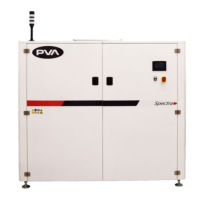

 To Next Page