Spectra UV
Revision D / January 2022
Page 32 of 47
1. 133BThe screen displays the Target Recipe Width. If the width value is known, press the
value to manually enter the width setpoint. A keypad will be shown.
•
134BEnter the necessary value. Select “Save” to keep and use the new value.
2.
135BIf the width value is unknown, press the arrows to use the Auto Adjust Conveyor
Width. This will jog the conveyor in a negative or positive direction.
3.
136BOnce the target recipe width is correct, press the wrench icon to set the target
recipe width to the Current Conveyor Width.
435BNote: The clear board sequence will not run prior to the jog.
436BNote: The conveyor width setpoint will not update during the manual jog.
275BUse the + - Page icons or the F2 and F4 keys to scroll through the Recipes. The Recipe
name is shown at the top of the screen.
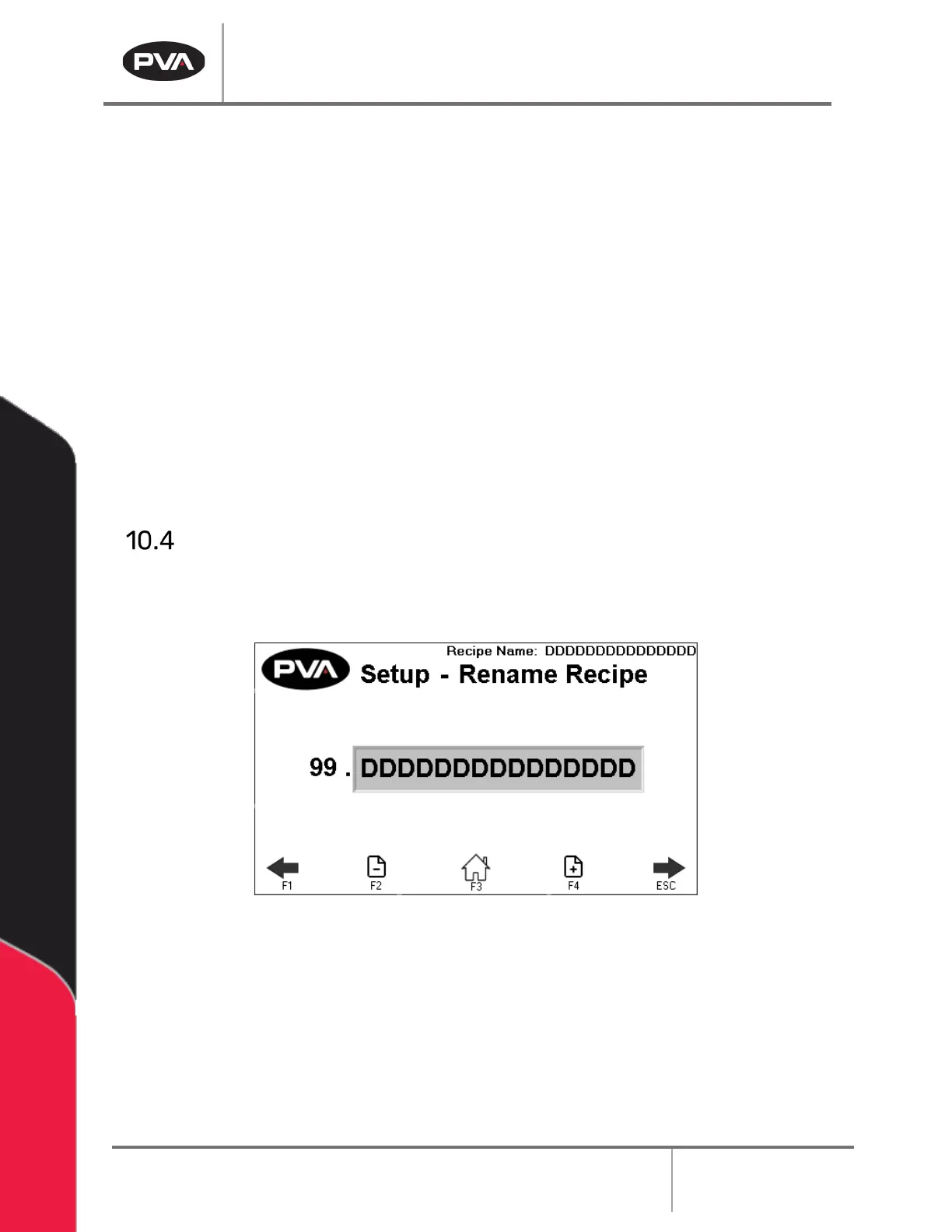
Rename Recipe
1. 137BUse the arrows on the screen or the “F1” and “ESC” button to scroll to the Setup-
Rename Recipe screen.
26BFigure 26: Setup-Rename Recipe
2. 138BUse the + - Page icons or the F2 and F4 keys to scroll through the Recipe names. You
can have a maximum of 30 Recipes.
3.
139BSelect the name you want to change.
4.
140BThe keyboard will be shown, type the new name and select enter. The new name will
be saved. Recipe names are limited to 15 characters.


 To Next Page