6. Using a Mod Route
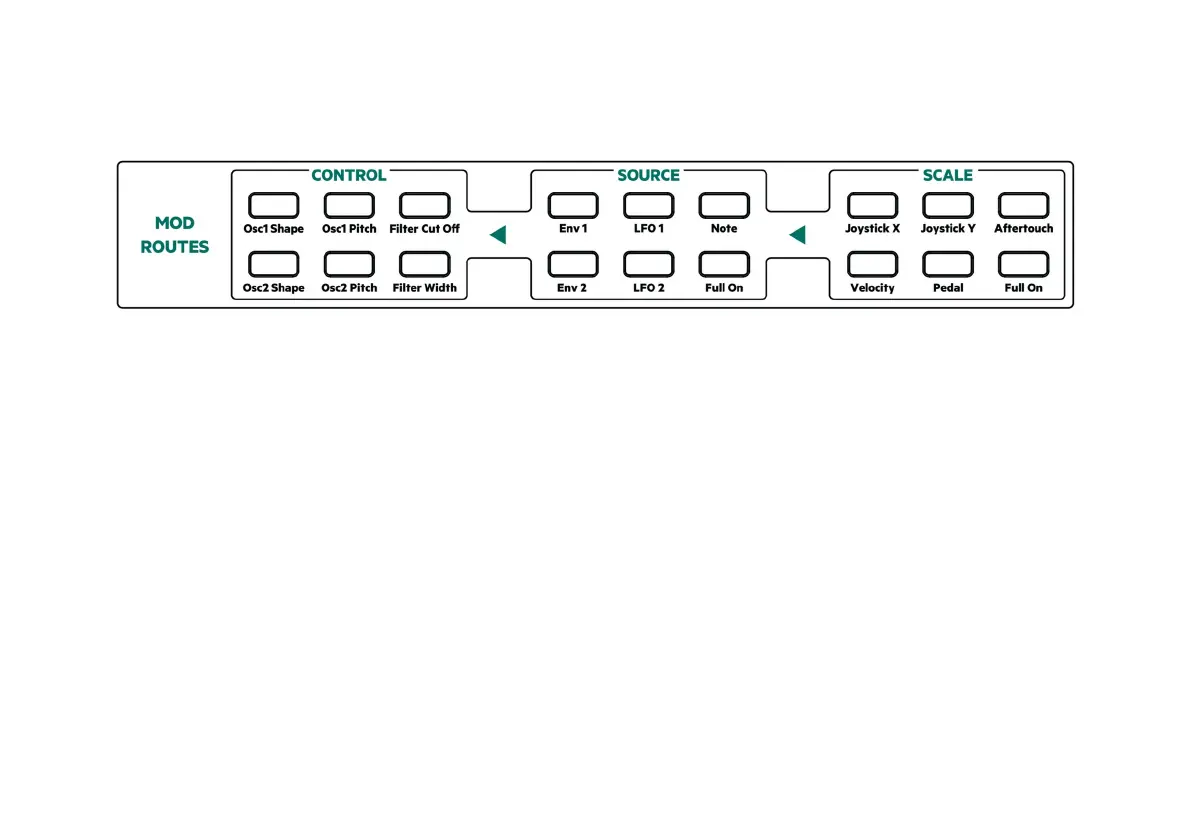
In this section you can choose what parameters are used to modulate or affect other
parameters of your sound.
1. Start by selecting the CONTROL you would like to affect and press the
corresponding button
2. Then press a button for the SOURCE you would like to use to modify that
CONTROL
3. Finally press a button for SCALE – this is a multiplier so you can use two elements
together to create a modulation. If you only want one then press the button for
‘Full on’
7. Performance Features and Effects
Joystick and Aftertouch are great in performance, plus there is Reverb and Chorus
available. Give these features a try to add control and richness to your sound!
9



 To Next Page