- 14 -
⑤ Follow the on screen prompt to request and
your update. Reboot the controlller, connect with
Switch console.
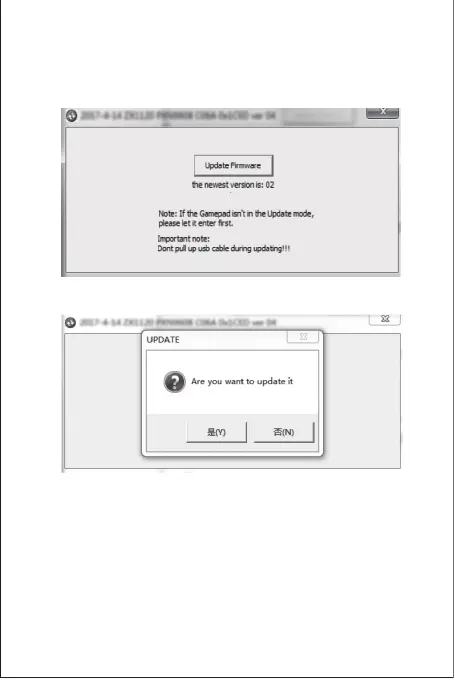
The Update Firmware option on the interface is
time.
activated to indicate that the connection is
successful, and click this option to upgrade.
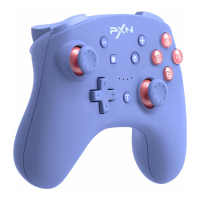
④ Click ‘YES’ to confirm the upgrade.


 To Next Page