EasyManua.ls Logo

Pyle Pro PLTTB-1 - Installing the Dust Cover; Setting the Antiskating Control

Pyle Pro PLTTB-1
12 pages
Print Icon
To Next Page IconTo Next Page
To Previous Page IconTo Previous Page
Loading...
PYLE
PRO
PLTTB-1
Stereo
Turntable
Setting
the
Antiskatina
Control:
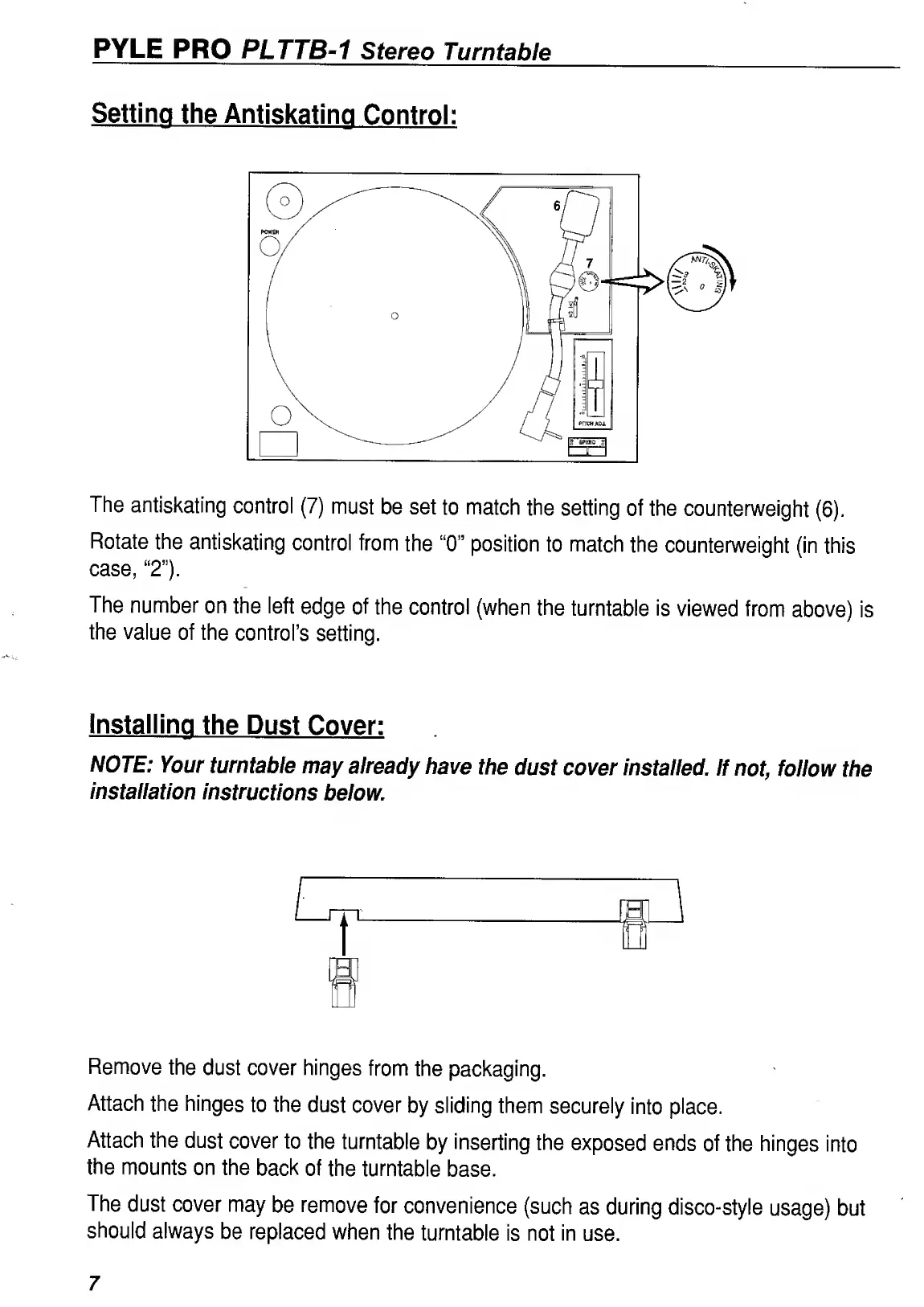
The
antiskating
control
(7)
must
be
set
to
match
the
setting
of
the
counterweight
(6).
Rotate
the
antiskating
control
from
the
“0”
position
to
match
the
counterweight
(in
this
case,
“2”).
The
number
on
the
left
edge
of
the
control
(when
the
turntable
is
viewed
from
above)
is
the
value
of
the
control’s
setting.
Installing
the
Dust
Cover:
NOTE:
Your
turntable
may
already
have
the
dust
cover
installed.
If
not,
follow
the
installation
instructions
below.
Remove
the
dust
cover
hinges
from
the
packaging.
Attach
the
hinges
to
the
dust
cover
by
sliding
them
securely
into
place.
Attach
the
dust
cover
to
the
turntable
by
inserting
the
exposed
ends
of
the
hinges
into
the
mounts
on
the
back
of
the
turntable
base.
The
dust
cover
may
be
remove
for
convenience
(such
as
during
disco-style
usage)
but
should
always
be
replaced
when
the
turntable
is
not
in
use.
7

Related product manuals