www.PyleUSA.com www.PyleUSA.com
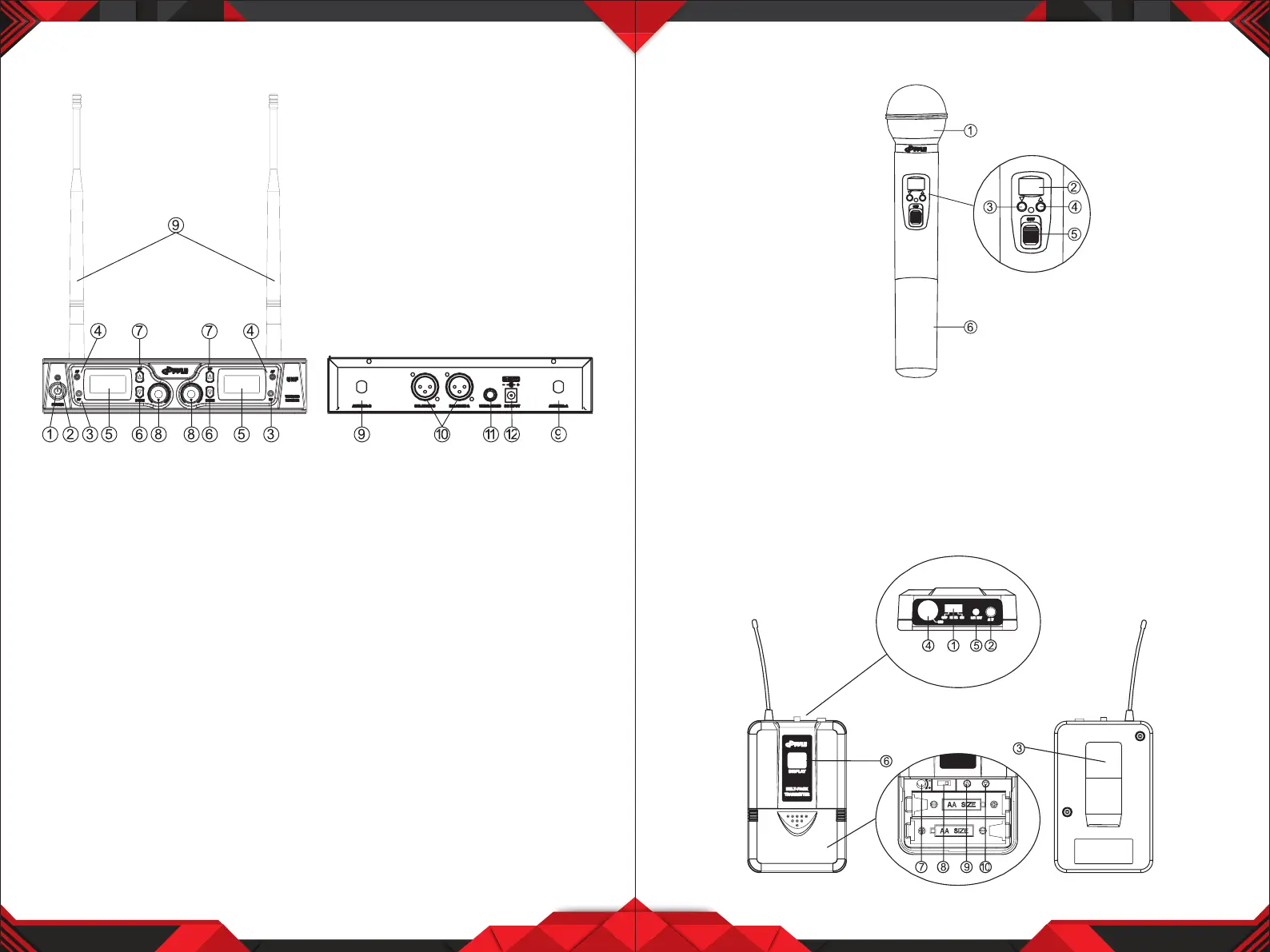
DUAL CHANNEL RECEIVER FEATURES
1. Power Switch: Power ON/OFF the receiver.
2. Power Indicator: Indicate the power ON/OFF.
3. "RF" Signal Indicator: It glows when the Receiver receives RF signal from
Transmitter.
4. "AF" Audio Level Indicator: Indicate the wireless system audio signal level.
5. LCD Information Display: Shows the receiver frequency channel etc.
6. Down Function Button: Sets channel data.
7. Up Function Button: Sets channel data.
8. Volume Knob: Adjust the volume output of receiver.
9. Antenna.
10. XLR Balanced Output Jack: Connect the audio cable from this jack to the
input port of amplier, mixer.
11. 1/4” Audio Output Jack: Connect the audio cable from this jack to the
input port of amplier, mixer.
12. Power jack: Connect the AC/DC adapter to receiver.
3 4
TRANSMITTER FUNCTION & FEATURES
1. Grille: Protects the cartridge and help reducing the breath sounds and wind
noise.
2. LCD Information Display: Show the transmitter frequency channel ect.
3. Down Function Button: Sets channel data.
4. Up Function Button: Sets channel data.
5. Power and Audio Mute Switch.
6. Battery Cover: Open it to install the battery.


 To Next Page