www.PyleUSA.com
4
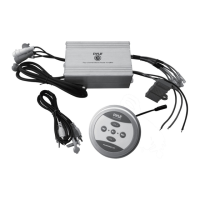
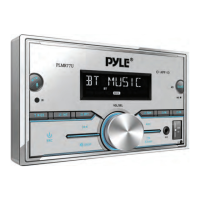
CONTROL PANEL BUTTONS
1. Press the button to keep SIRI functioning
2. IR remote control sensor
3. RPT (repeat), button 3 preset
4. INT (intro), Station preset button 2
5. (pause /start), Button 1 preset station
6. Mode (source) button
7. Button Tune down, seek down; Track down, fast reverse
8. In power on mode, press the MUTE button to toggle mute ON or OFF.
/DISP (CLK) button
9. SEL (select/menu) and VOL (volume knob)
10. (tune forward, search forward, crawl forward, fast forward)
11. Back to the previous conguration point, press X. Bass enhances the pulse
function
12. AUX IN (auxiliary input)
13. RESET reset button
14. USB/SD port/For phone charging
15. +10 (10 following songs), preset button 6 station
16. -10 (10 following songs), preset station 5 button
17. RDM (random), button 4 preset
18. MIC hole (integrated microphone)
19. BAND (band) button /DISP (CLK) (clock setting) button
20. LCD screen
GENERAL OPERATION
Turn Unit ON/OFF
• Press the power /MODE button on the front panel to turn ON the unit, and
press and hold it again to turn OFF the unit.
• Press the power button on the remote control to turn the unit ON or OFF.
Adjust Volume (VOL)
• Rotate the VOL knob on the front panel or press the VOL+ /VOL- button on
the remote control to increase or decrease the volume level.
Adjust Menu Options (SEL)
• Press the SEL button on the front of the panel or on the remote control repeatedly
to navigate through the following audio functions: BASS (Low), TREBLE (treble),
BALANCE (Balance), FADER (attenuate), EQ (Equalizer) OFF (o), CLASS (classic)


 To Next Page