www.P yleUSA.com
4
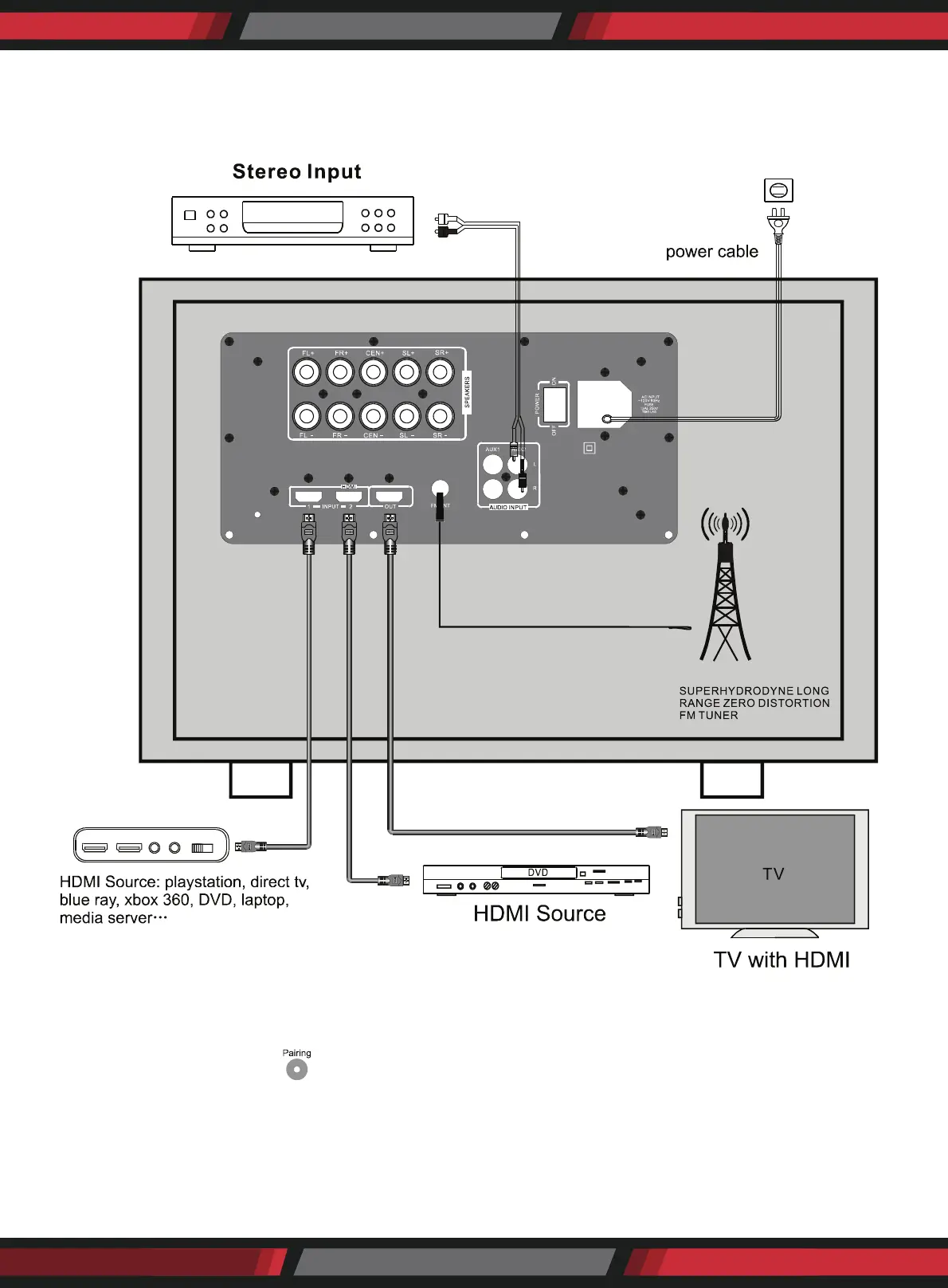
HOW TO CONNECT AUDIO DEVICE
Please connect audio device according to the following schematic diagram.
HOW TO PAIR WIRELESS BT RECEIVER
The system has a built-in Wireless BT receiver. If you need to pair with a BT sender (mobile phone), rst turn
on the system, and press the " " key on the remote control, the VFD will show "pairing" and icker.
Then search the wireless BT receiver (Device ID: PyleUSA) by your own BT sender. After that, you can enjoy
the music by the Wireless BT receiver. The system will turn to the normal working state if no paring in 10
minutes.


 To Next Page