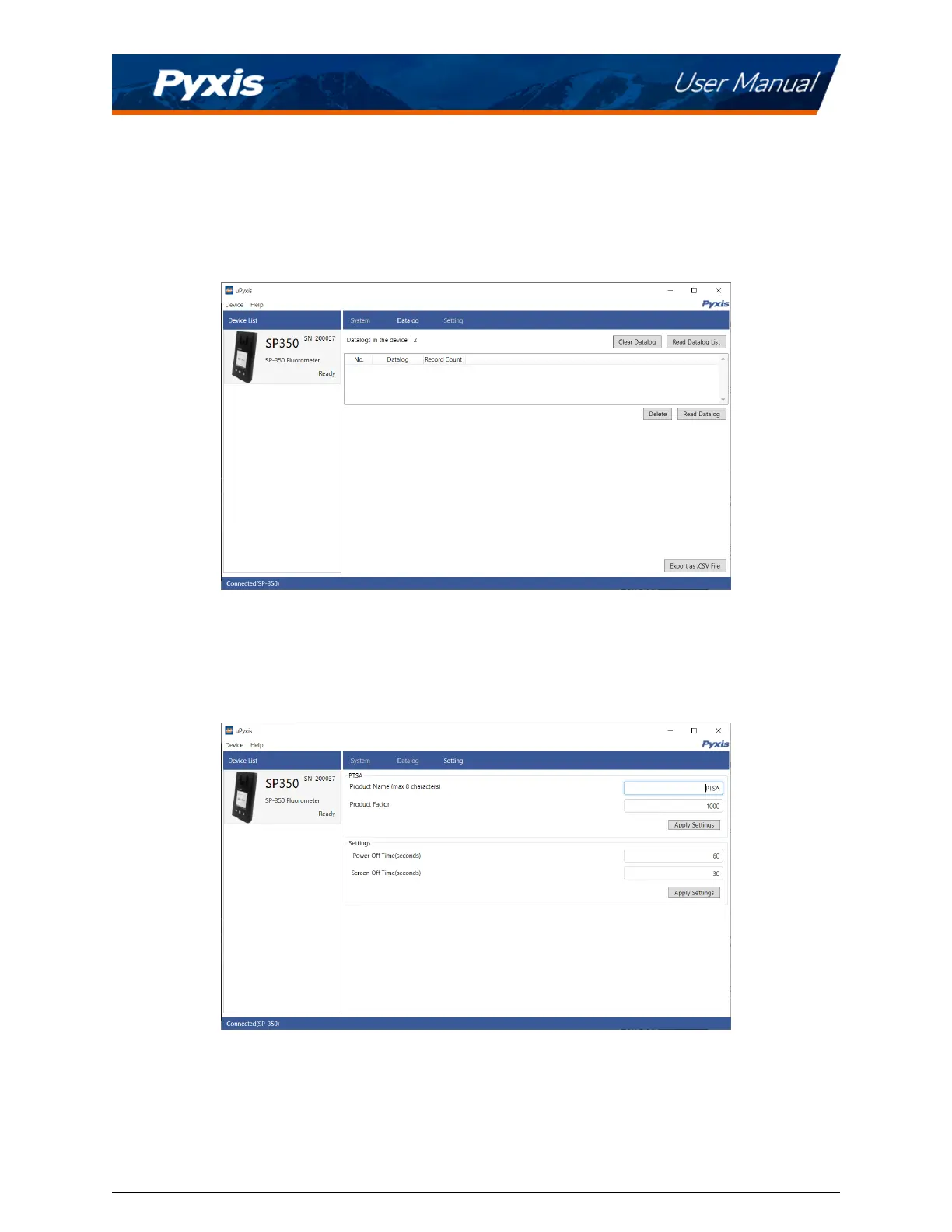
10.4 Datalog Screen
From the Datalog screen, the user can view, delete, and export the internal log les of the SP-350 by clicking
Read Datalog List and selecng the desired datalog (these are separated by month). The SP-350 will then
populate any relevant log event from the selected datalog which can be viewed in more detail by clicking
Read Datalog, deleted by clicking Delete, or exported by clicking Export as .CSV File.
Figure 26.
10.5 Seng Screen
From the Seng screen, the user can set the Power o me and Screen o me in seconds.
Figure 27.
SP-350 User Manual service@pyxis-lab.com | +1 (866) 203-8397 20


 To Next Page
 Loading...



