38
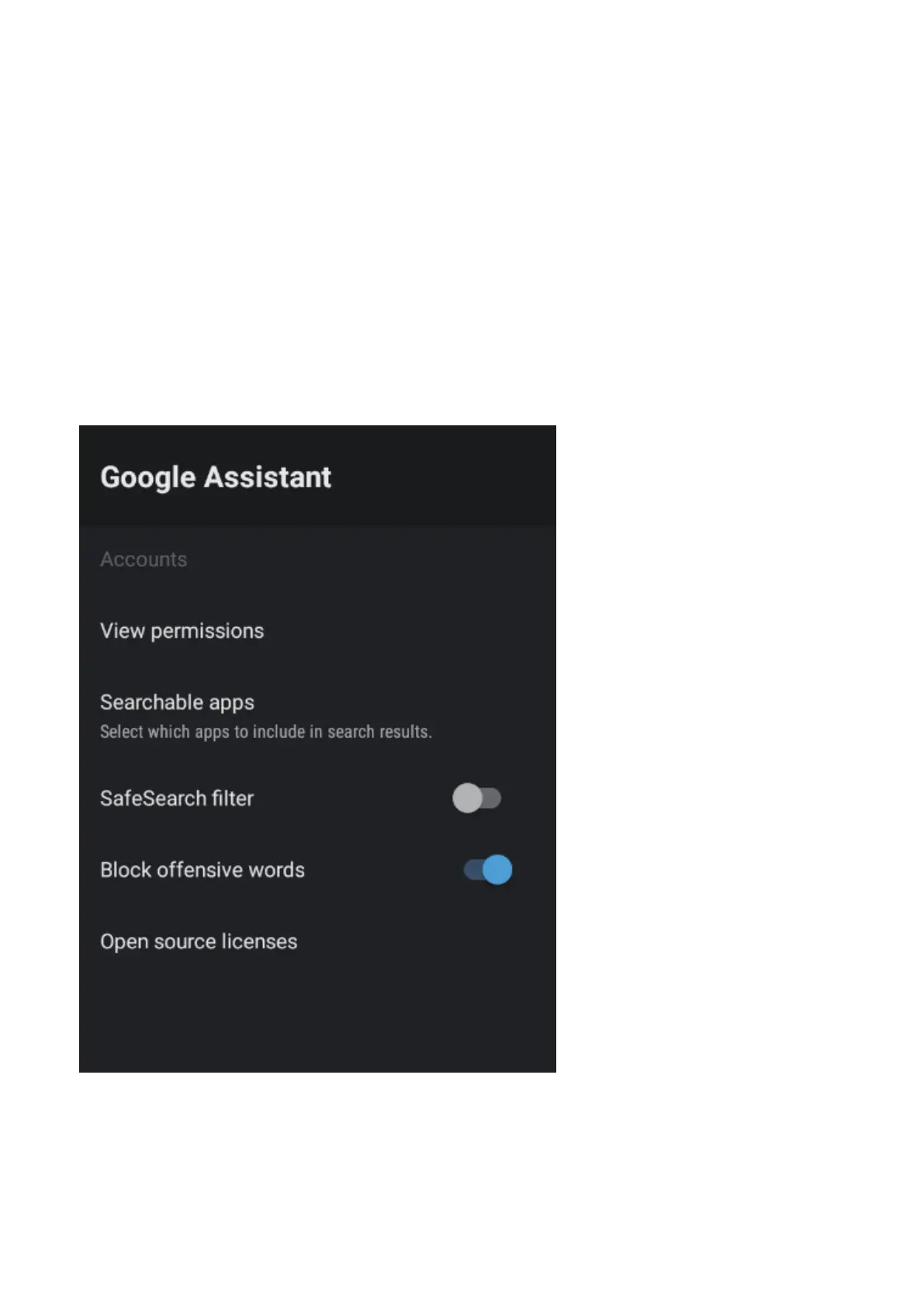
To access GOOGLE ASSISTANT menu,
1. Select SETTING icon (#6 on page 21) via the HOME screen.
2. Select “Device Preferences”
3. Then go down and select “GOOGLE ASSISTANT”.
Accounts will only be accessible if you have connected a Gmail account via the “Google Play
Store”. A Gmail account is needed in order to download and install applications via the “Google
Play Store”.
GOOGLE ASSISTANT


 To Next Page
 Loading...