TABLE OF CONTENTS
___________________________________________________________________________________
1.0 INTRODUCTION ………………………………………………………………………………………………………………….. 1
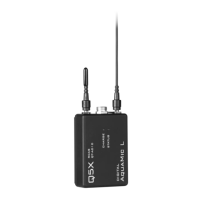
1.1Transmitters
1.2 Remote Control Audio System (RCAS)
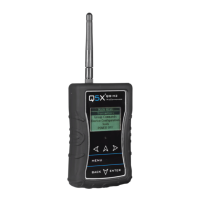
1.3 Handheld MicCommander (QG-H2)
1.4 Network GateWay (QG-N3)
1.5 MicControl
1.6 Microphone
2.0 POWER MANAGEMENT……………….………………………………………………………………………………………… 2
2.1 Charge
2.2 Storage mode
2.3 Standby mode
2.4 ON mode
3.0 MICCOMMANDER…………………………………………………………………………………….……………………………… 3
3.1 Start-up
3.2 Settings
o Frequency, power, battery, mic, mic off-set, name, group
o RF power, 2.4 GHz channel, storage mode, reboot, main menu
3.3 Active Transmitters List
o Transmitters - status & control
o Adding and removing transmitters from transmitter list
o Linking, LED flash, sorting of active transmitter list
3.4 Group commands
3.5 Device configuration (link id, 2.4ghz channel, default channel, channel selection, LCD contrast)
3.6 Tools (2.4GHz spectrum, diagnostics, LED flashing)
4.0 RECEIVER ……………………………………………..…………………..………………………………………………………… 7
4.1 Transmitter telemetry
4.2 Encryption
4.3 Transmission modes
4.4 IR sync
5.0 SPECIFICATIONS …………………………………………………………………………………….…………………………… 8
5.1 Input connector diagram
5.2 Frequency bands and transmitter RF power
6.0 LICENCING INFORMATION ….……………………………………………..………………….…………………………… 9
6.1 Licensing
6.2 Certifications
7.0 FIRMWARE UPDATES ……………..………………………………………………………………………………………..… 9
7.1 QT-AD10 Firmware
7.2 Versioning
7.3 Updating the transmitter
8.0 APPENDICIES – QUICK START GUIDES ..……………………………………………………………………………….. 10



 To Next Page