QM_Spartan-7 Development Board User Manual V01
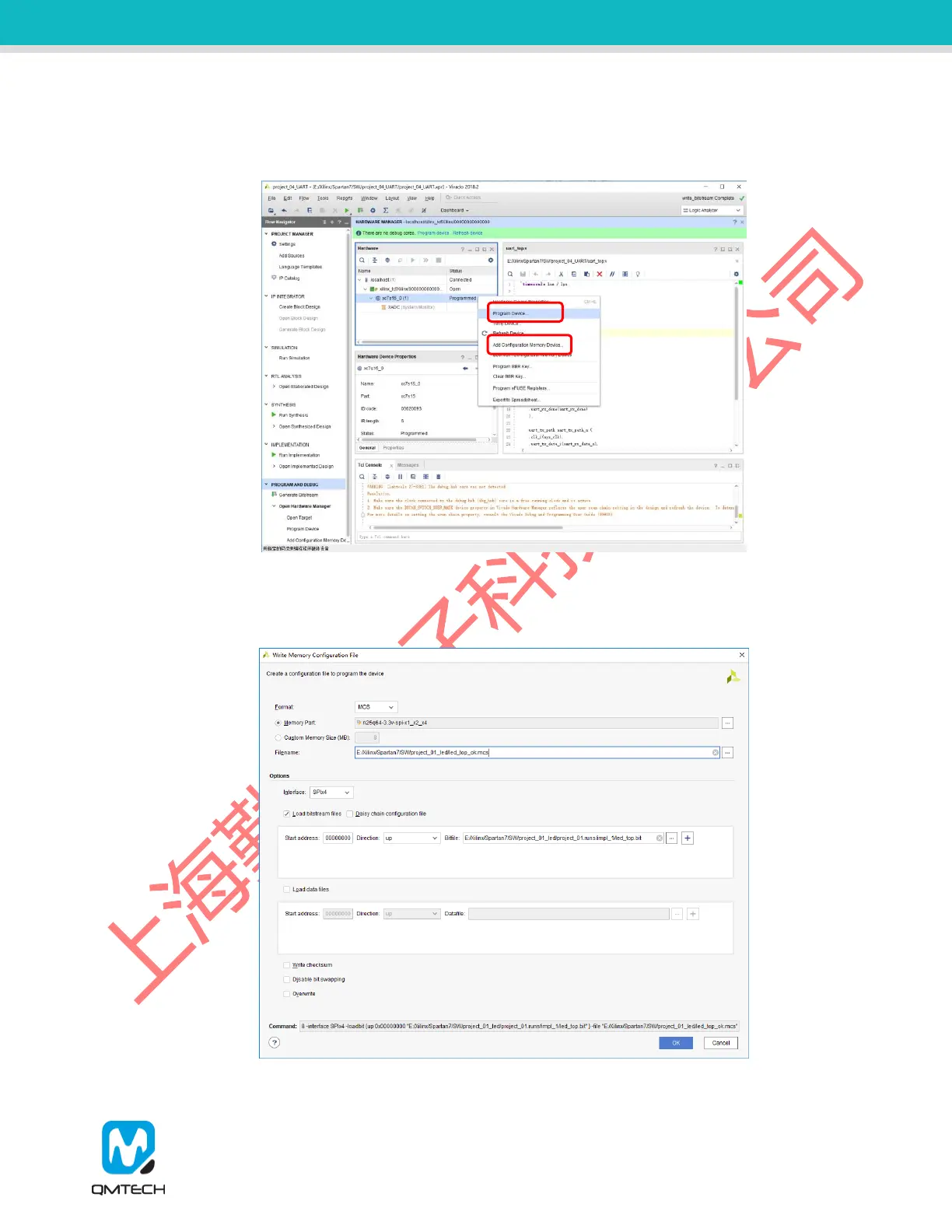
Chip info like xc7s15_0(1) is shown in Hardware Manager as below image. Users then could right click the
device to choose 【Program Device】to load the Bitstream *.bit into FPGA or to choose【Add Configuration
Memory Device】to program the *.mcs file into on-board SPI flash.
Figure 2-5. Program FPGA
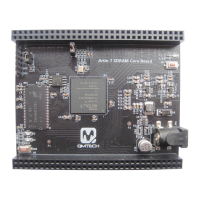
Users could convert the *.bit file into the *.mcs file by using the Vivado tool. Choose the 【Tools】on the menu
bar and then select 【Generate Memory Configuration File】, and then configure the parameters shown in
below image:
Figure 2-6. Generate *.mcs File


 To Next Page