37
Warning: To reduce the risk of electric shock or damage to the equipment, do not connect the
power cord to the power supply until the power supply is installed to the device.
Replacing hot-plug SAS HDDs
Warning:
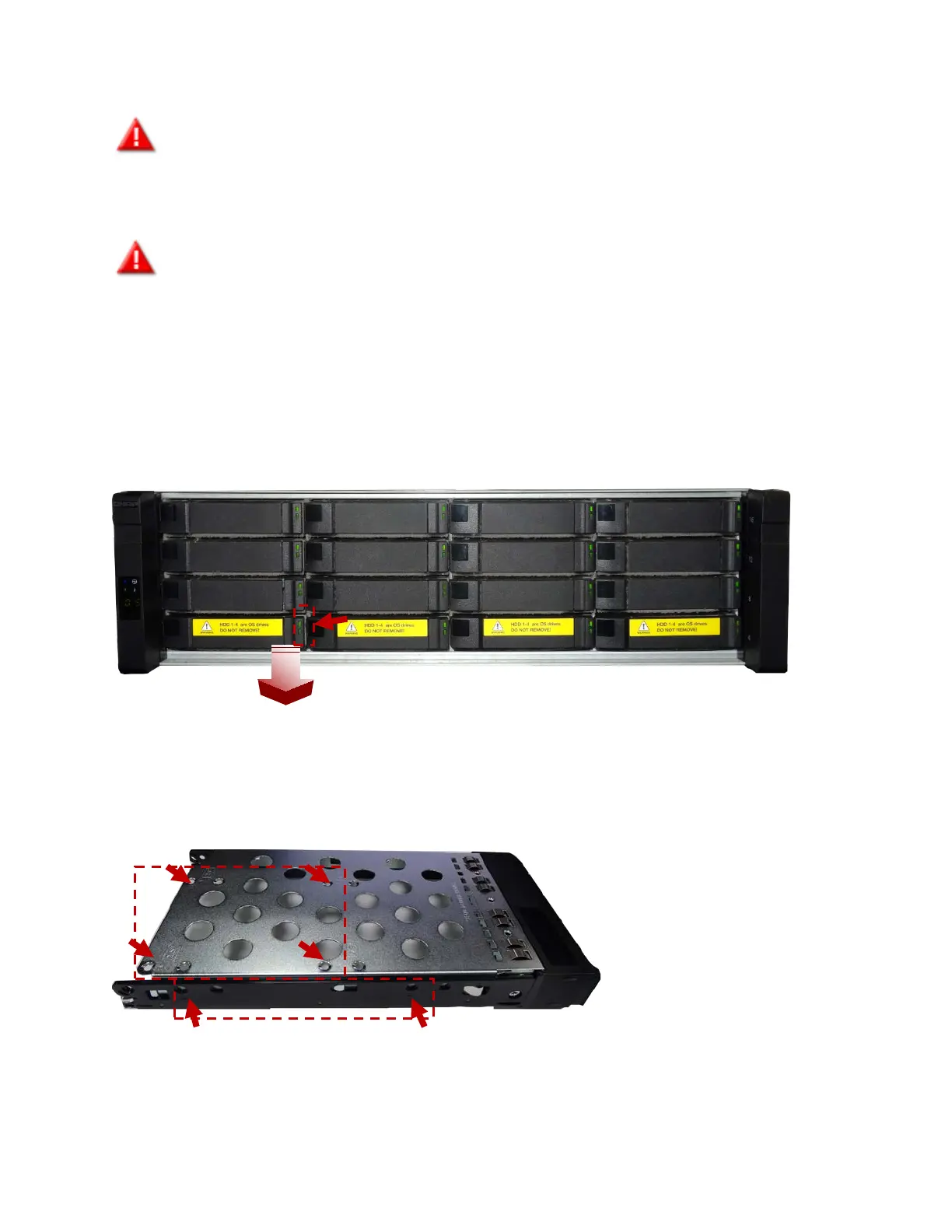
Do not remove the bottom 4 HDDs as they are used to install or configure the operating system.
To avoid data loss, please back up all data on the hard drives.
To remove a HDD:
1. First bring the storage pool that comprises this HDD that you would like to remove or replace offline.
For more information, please refer to the Storage Manager app in software manual.
2. Press to unlock the drive.
3. Remove the hard drive.
To replace the HDD, install the HDD drive on the tray with screws.


 To Next Page