EasyManua.ls Logo

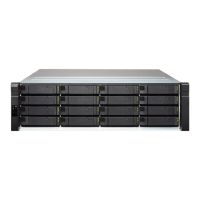
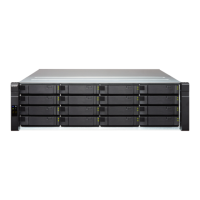
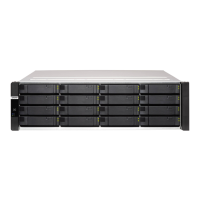
QNAP ES1686dc Series - User Manual

QNAP ES1686dc Series
55 pages
Print Icon
To Next Page IconTo Next Page
Loading...
ES1686dc
User Guide
Document Version: 1
09/05/2019

Questions and Answers

QNAP ES1686dc Series Specifications

General IconGeneral
ModelES1686dc Series
CategoryStorage
Drive Bays16
Host InterfaceSAS 12Gb/s
Form FactorRackmount
Memory16 GB DDR4 ECC (expandable to 128 GB)
Flash Memory5GB DOM
Network Interface2 x 10GbE SFP+, 4 x 1GbE
RAID Support0, 1, 5, 6, 10, 50, 60
PCIe Slots2 x PCIe 3.0 x8
USB Ports2 x USB 3.0
Power SupplyRedundant 500W
Dimensions (H x W x D)88 x 482 x 650 mm
Operating Temperature0°C ~ 40°C (32°F ~ 104°F)
Humidity5% to 95% non-condensing
Maximum Raw Capacity256 TB (16 x 16 TB)

Summary

Preface

About This Guide

Information on the QNAP ES1686dc NAS and step-by-step instructions.

Audience

Intended for storage administrators knowledgeable in installation and maintenance.

Document Conventions

Explains symbols used in the guide for notes, tips, and warnings.

Product Overview

ES1686 dc NAS Introduction

Introduces the ES1686dc NAS, its features, and dual controller architecture.

Hardware Specifications

Details technical specifications including CPU, memory, storage, and network interfaces.

Package Contents

Lists all items included in the ES1686dc package, such as cables and accessories.

Front Panel Buttons and LEDs

Describes the function of front panel buttons and status LEDs.

Front Panel OLED Display

Explains the icons and status shown on the front panel OLED display.

Rear Panel Components and LEDs

Identifies rear panel ports and their corresponding LEDs.

Storage Controller Operations

Explains how to operate storage controller power and reset functions.

System Board and Drive Layout

Illustrates system board layout and drive bay numbering.

Installation Requirements

Lists necessary environmental, hardware, and tool requirements for installation.

Initial NAS Setup

Provides a step-by-step guide for initial NAS setup and configuration.

Installation and Configuration

Hardware Installation Procedures

Covers physical installation of major hardware components.

Storage Controller Installation

Detailed steps for removing and installing storage controllers.

Drive Installation

Instructions for installing 3.5-inch and 2.5-inch drives.

M.2 SSD Installation

Guide for installing M.2 Solid State Drives on the system board.

Expansion Card Installation

Procedures for installing PCIe expansion cards.

Memory Module Replacement

Steps for replacing or upgrading memory modules in controllers.

Fan Module Replacement

Instructions for removing and installing NAS fan modules.

Power Supply Unit Replacement

Guide for hot-swapping redundant power supply units.

Battery Backup Unit Replacement

Steps for replacing the battery backup unit (BBU).

Expansion Unit Connectivity

Information on connecting SAS expansion units to the NAS.

QES Operating System Installation

Covers the process of installing the QNAP QES operating system.

Installing QES with Qfinder Pro

Step-by-step guide to install QES using Qfinder Pro.

Service Port Configuration

Details on configuring service ports for console access.

Controller and Unit Service Ports

Pinouts and configuration for service ports on controllers and expansion units.

Network Configuration

Covers management port setup and Multipath I/O (MPIO) network configuration.

Management Port Setup

Details on connecting to and configuring the NAS management port.

Multipath I;O Implementation

Explains how to implement MPIO for fault-tolerant network connectivity.

Troubleshooting

Qfinder Pro Location Issues

Steps to resolve problems where Qfinder Pro cannot find the NAS.

Hot-swapping Failed Drives

Instructions for replacing failed drives while the system is operational.

Support and Resources

Lists available resources for further assistance and documentation.

Glossary

Key Term Definitions

Provides definitions for QES and Qfinder Pro.

Notices

Limited Warranty

Details the warranty terms and conditions for QNAP hardware products.

Disclaimer of Liability

Outlines QNAP's limitations of liability and product usage restrictions.

BSMI Compliance Notice

Provides the Bureau of Standards, Metrology and Inspection (BSMI) compliance statement.

CE, FCC, and RoHS Compliance

Details compliance with CE, FCC, and RoHS standards for the device.

VCCI Compliance Notice

Provides the Voluntary Control Council for Interference (VCCI) compliance statement.

Related product manuals