54
Chapter 7. Install and Hot-swap Hard Drives
Caution:
Before starting, please ensure that you turn off the NAS, disconnect the power
adaptor, network cable(s), and also remove any other device/cable that is attached to
the NAS.
Please ensure that you wear an antistatic wrist strap during the entire process to
prevent electrostatic discharge. The crocodile clip should be connected to the ground.
7.1 Install Hard Drives
Follow the below steps to install hard drives on the NAS.
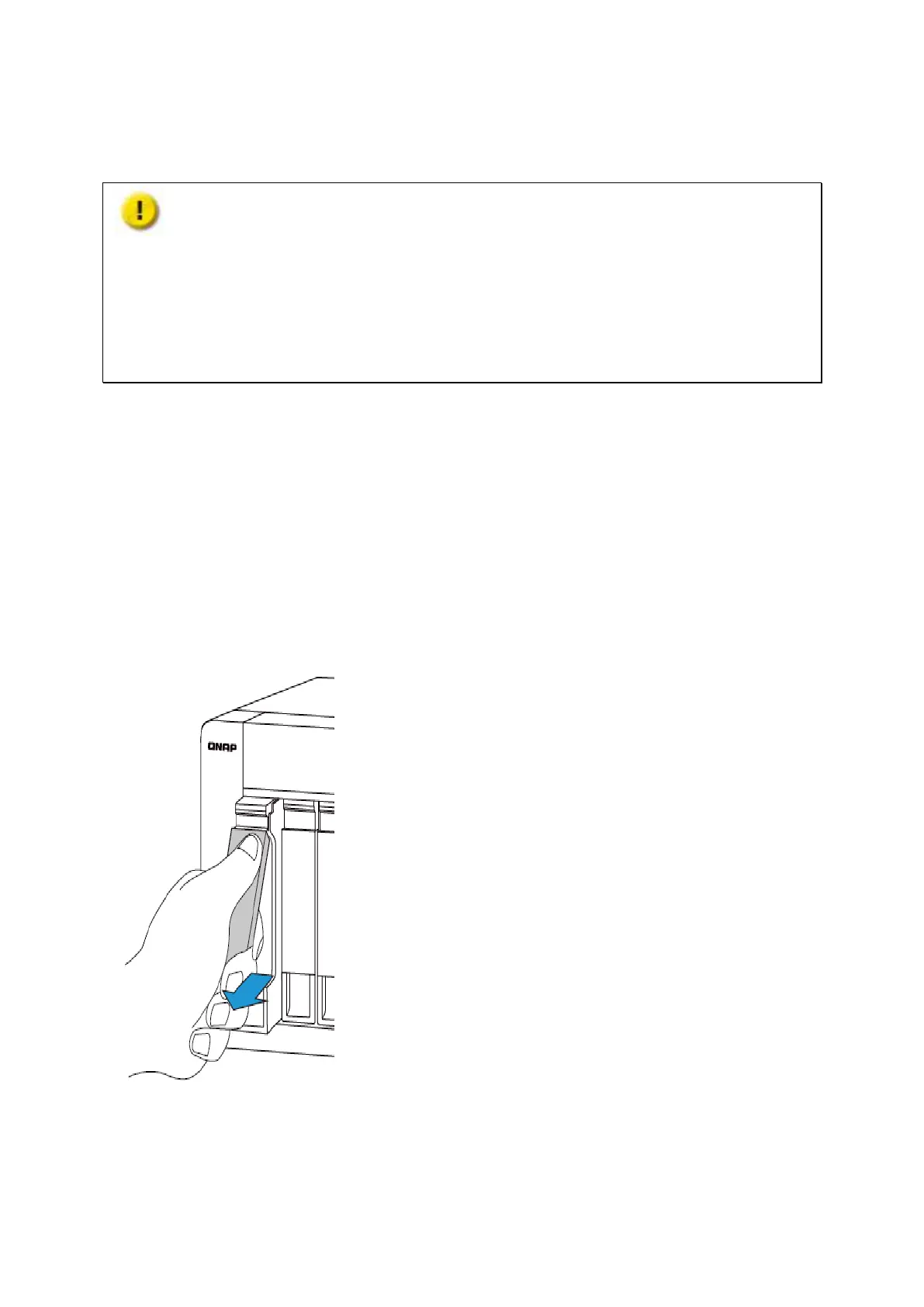
7.1.1. TVS-x63, TS-x53A, TS-563, TS-x53 Pro, TS-651, TS-851, TS-531P
1. Lift the hard drive lever and pull the tray out.
2. Install the HDDs
a. For 3.5” HDDs, secure the four screws in the back of the hard drive tray.



 To Next Page
 Loading...