EasyManua.ls Logo

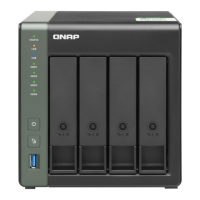
QNAP TS-433-4G - User Manual

QNAP TS-433-4G
51 pages
Print Icon
To Next Page IconTo Next Page
Loading...
TS-433
User Guide
Document Version: 1
08/04/2022

Questions and Answers

  • M
    Maria HaleAug 7, 2025
    What to do if hot-swapping failed drives on QNAP TS-433-4G Network Hardware?
    • D
      diazkatherineAug 8, 2025
      To replace a failed drive, log on to QTS, navigate to Main Menu > Storage & Snapshots > Storage > Disks/VJBOD, and find the failed drive. Prepare a new hard drive with equal or greater capacity. Remove the failed drive from the device, wait about 20 seconds (or until you hear two beeps), then remove the drive from its tray. Insert the new drive into the tray, install it, and check that the status indicates 'Rebuilding'.
  • P
    Pamela PooleAug 25, 2025
    How to fix Qfinder Pro or myQNAPcloud unable to locate QNAP Network Hardware during QTS installation?
    • D
      Darrell NelsonAug 25, 2025
      If Qfinder Pro or myQNAPcloud can't find the NAS during QTS installation, the drives or data may be faulty. To resolve this, power off the NAS, remove all drives, power it back on, and use Qfinder Pro or myQNAPcloud to locate the NAS. Once found, reinsert the drives and proceed with the QTS installation.

Summary

Product Overview

Hardware Specifications

Details the technical specifications of the TS-433 NAS, including CPU, memory, storage, and network interfaces.

Safety Information

Provides essential safety instructions for operating and handling the NAS device.

Installation Requirements

Outlines the necessary environmental and hardware prerequisites for installing the NAS.

Installation and Configuration

Hardware Installation

Covers the physical installation of hardware components, including drive installation.

Drive Installation

Provides step-by-step instructions for installing hard drives into the NAS.

Installing 2.5-inch Hard Drives or Solid-State Drives on 3.5-inch Trays

Details the process of installing 2.5-inch drives using 3.5-inch trays.

Installing 3.5-inch Hard Drives on 3.5-inch Trays

Explains how to install 3.5-inch hard drives onto the NAS trays.

QTS Installation

Details the methods for installing the QNAP operating system (QTS).

Installing QTS Using Qfinder Pro

Provides instructions for installing QTS via the Qfinder Pro utility.

Installing QTS Using the Cloud Key

Explains how to install QTS using the Cloud Key method.

Basic Operations

Power Button

Describes how to use the power button for turning the NAS on and off.

NAS Migration

NAS Migration Requirements

Lists the prerequisites for migrating data and settings to a new NAS.

Migrating a NAS

Provides steps for performing a direct NAS migration.

Migrating NAS Data Using HBS 3

Explains how to migrate data using HBS 3 when direct migration is not supported.

Troubleshooting

Hot-Swapping Failed Drives

Explains how to replace a failed drive without shutting down the NAS.

QNAP TS-433-4G Specifications

General IconGeneral
Memory4 GB DDR4 (non-expandable)
Drive Bays4
Flash Memory4GB eMMC
Hot-swappableYes
M.2 SSD SlotNo
Form FactorTower
Drive Compatibility3.5" SATA HDD, 2.5" SATA HDD/SSD
HDMI OutputNo
Maximum Internal Raw Capacity80 TB (20 TB drive x 4)
Operating SystemQTS
Fan1 x 120mm
USB Ports2 x USB 3.2 Gen 1

Related product manuals