10
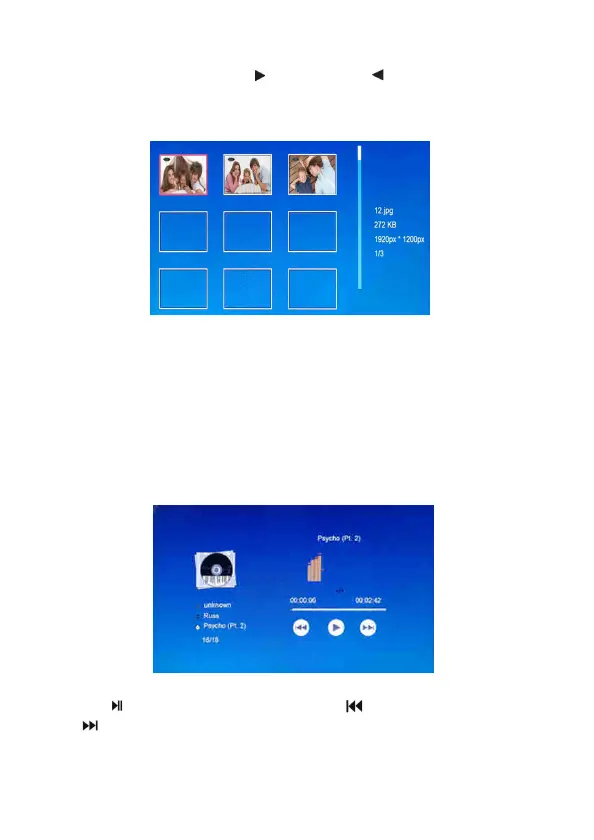
4.3 View a Photo/Slideshow
In the photo mode, press the button and the button to select an
individual photo by press the ENTER button. Wait for a while, your
favorite slideshow will start automatically.
IMPORTANT: Please ensure you save photo files in the compatible
format for playing on your DPF.
Tips: Adjust photo transition time interval and effect via System
Setup > Photo Setup > Transition Interval/Transition Effect.
4.4 Music
Press the MUSIC button to open the music player.
Use the button to Play/Pause. Press the button to previous and
the button to next tracks. Adjust volume by the VOL + and VOL -
buttons on the remote control or the controls on back of the frame.


 To Next Page