11
IMPORTANT: Please ensure you save music files in the compatible
format for playing on your DPF.
Tips: Adjust music display mode and repeat mode via System Setup >
Music Setup > Display Mode/Repeat Mode.
4.5 Movie
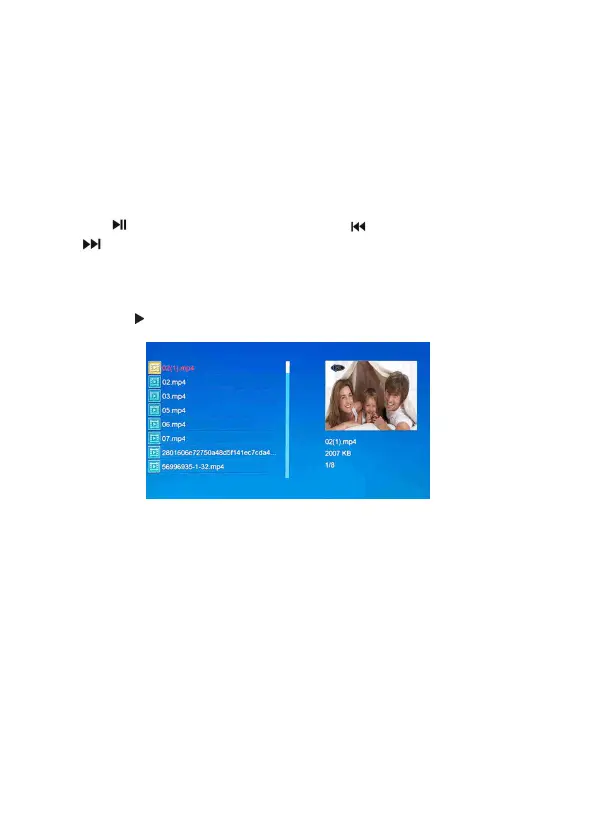
Press the MOVIE button to open the video player.
Use the button to Play/Pause. Press the button to Previous and
the button to Next tracks. Adjust volume by the VOL + and VOL -
buttons on the remote control or the controls on back of the frame.
Or select the movie to play via Main Menu > Video by press SETUP
button, the button and the ENTER button on the remote control.
IMPORTANT: Please ensure you save video files in the compatible
format for playing on your DPF.
Tips: Adjust video display mode and repeat mode via System Setup >
Video Setup > Display Mode/Repeat Mode.
4.6 Calendar
Press the CALENDAR button on the remote control to see a full-
screen month-by-month calendar and clock display. If there are
pictures under current input source – i.e. USB memory stick, SD
(SDHC/MMC) memory card or built-in memory, pictures will be
displayed automatically.


 To Next Page