6
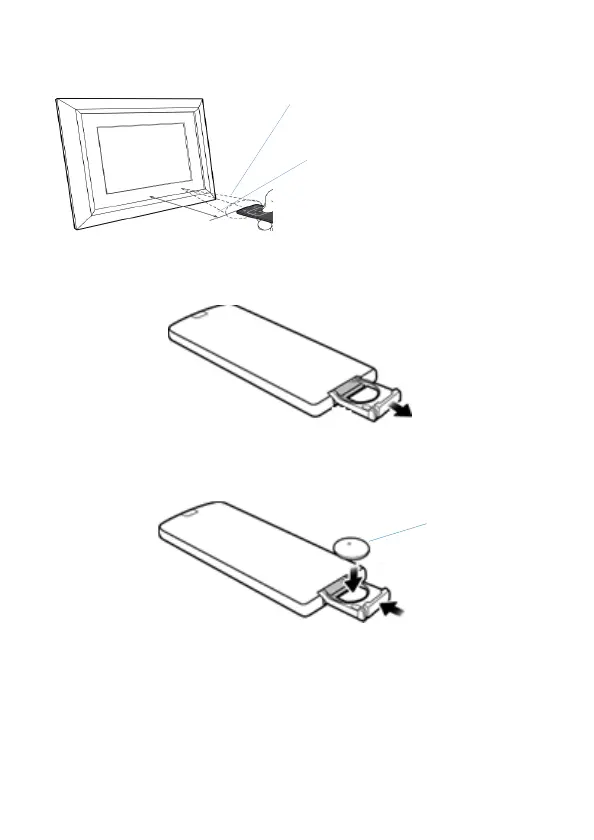
The PDF has a built-in remote control sensor in the bottom middle
of the frame.
Replacing the remote control battery
1. On the back of the remote control, pull out the battery holder.
2. Insert the new battery into the holder. The battery must be placed
with the positive charge facing upwards, as shown in the
illustration below.
3. Slide the battery holder into the remote control.
angle approximately 30 degrees
Approximately 1.4 m or less
faces upwards


 To Next Page