8
TD-001615-00-A
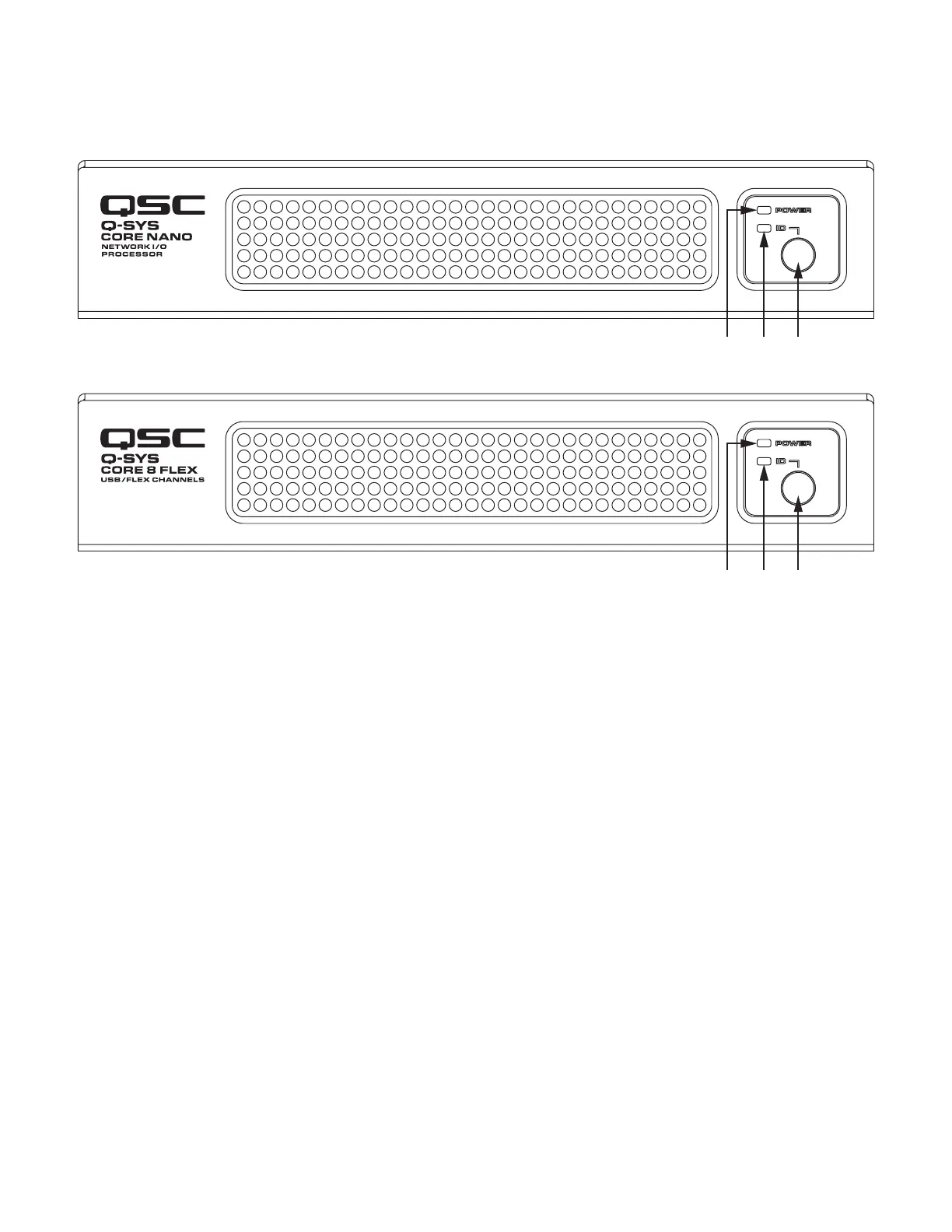
Front Panels
1. Power LED – illuminates blue when the Q-SYS Core 8 FLEX is
powered on
2. ID LED – LED blinks when placed into ID Mode via ID Button or
Q-SYS Configurator Software
3. ID Button – Locates the Q-SYS Core 8 FLEX in Q-SYS Designer
GUI and Configurator. Pressing the ID button for approximately 10
seconds invokes "Reset Network Settings" function.


 To Next Page