178.864UK User Manual
FM Tuner
In FM tuner mode, the station frequency (in MHz) will be displayed.
For initial setup, press PLAY/PAUSE to begin the auto-tuning process.
The tuner will seek through all frequencies for strong signal reception (i.e. radio stations)
These will be stored into memory as , , , … etc.
Stored stations can then be selected using the PREVIOUS or NEXT buttons
Note: Pressing PLAY/PAUSE during auto-tune will allow manual tuning via PREVIOUS/NEXT
B/T Wireless Connection
Select ‘’ using the mode button (9). The B/T wireless symbol will be flashing if it is NOT
paired with an audio device.
Scan for B/T wireless devices on your phone or other B/T wireless enabled audio player and
check for a device called ‘bt-speaker’. Select this device and opt to connect your B/T wireless
device, which should then state that it is connected to “bt-speaker” for audio output.
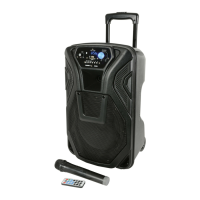
The B/T wireless symbol on the Busker-10 unit should stop flashing to confirm the connection.
Play audio from your B/T wireless device and check for output through the Busker-10 unit.
If there is no output, check if there is more than one device within range called “busker-pa”
In the eventuality that more than one device is called “busker-pa”, try each device in turn until
the Busker-10 is found. Check also that the volume level is turned up on the sending device.
Once audio is playing through the Busker-10 from B/T wireless, adjust the MEDIA volume
control (7) to the required volume.
B/T wireless on the Busker-10 can only pair to a single device at any one time and should be
operable over a range of 5 to 8 metres.


 To Next Page