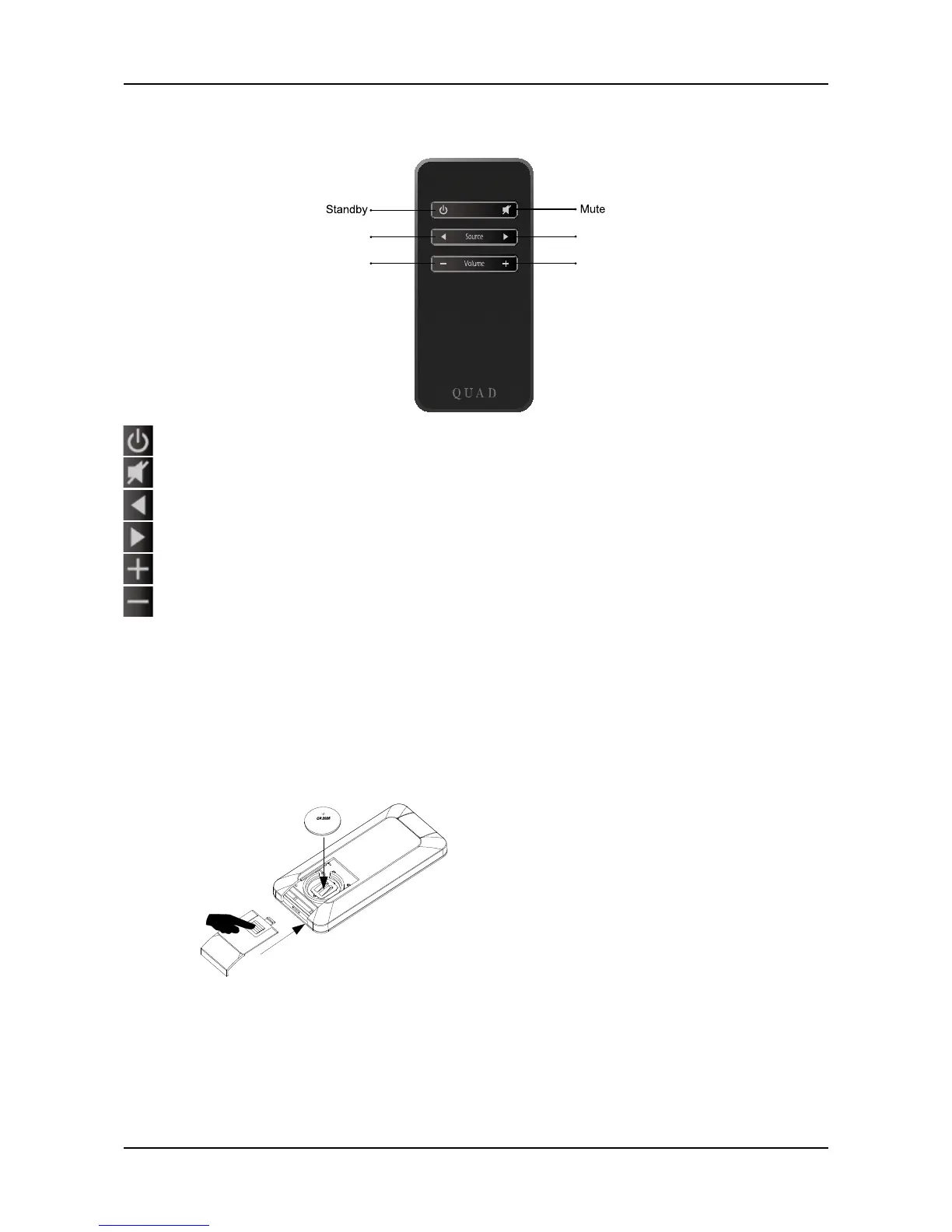
Press to bring product in/out of standby mode
Press to Mute/Unmute the sound. In Mute, the selected source indicator on front panel will flash on and off
Press to select previous source
Press to select next source
Press to increase volume
Press to decrease volume
The selected source indicator will flash when Vena responds to remote commands.
Preparing the Handset
·
Unpack the handset
·
Invert the handset
·
Remove the battery cover
·
Insert a new battery
·
Close the battery cover
Battery Caution
·
There is a risk of fire and burns if the battery is handled improperly.
·
Do not disassemble, crush, puncture, short external contacts or dispose in fire or water.
·
Do not attempt to open or service the battery. Replace only with a CR2025 battery.
·
Discard used batteries in accordance with recycling regulations in force in your area.



 To Next Page