ABOUT THE SYSTEM SYSTEM REAR VIEW
1-8
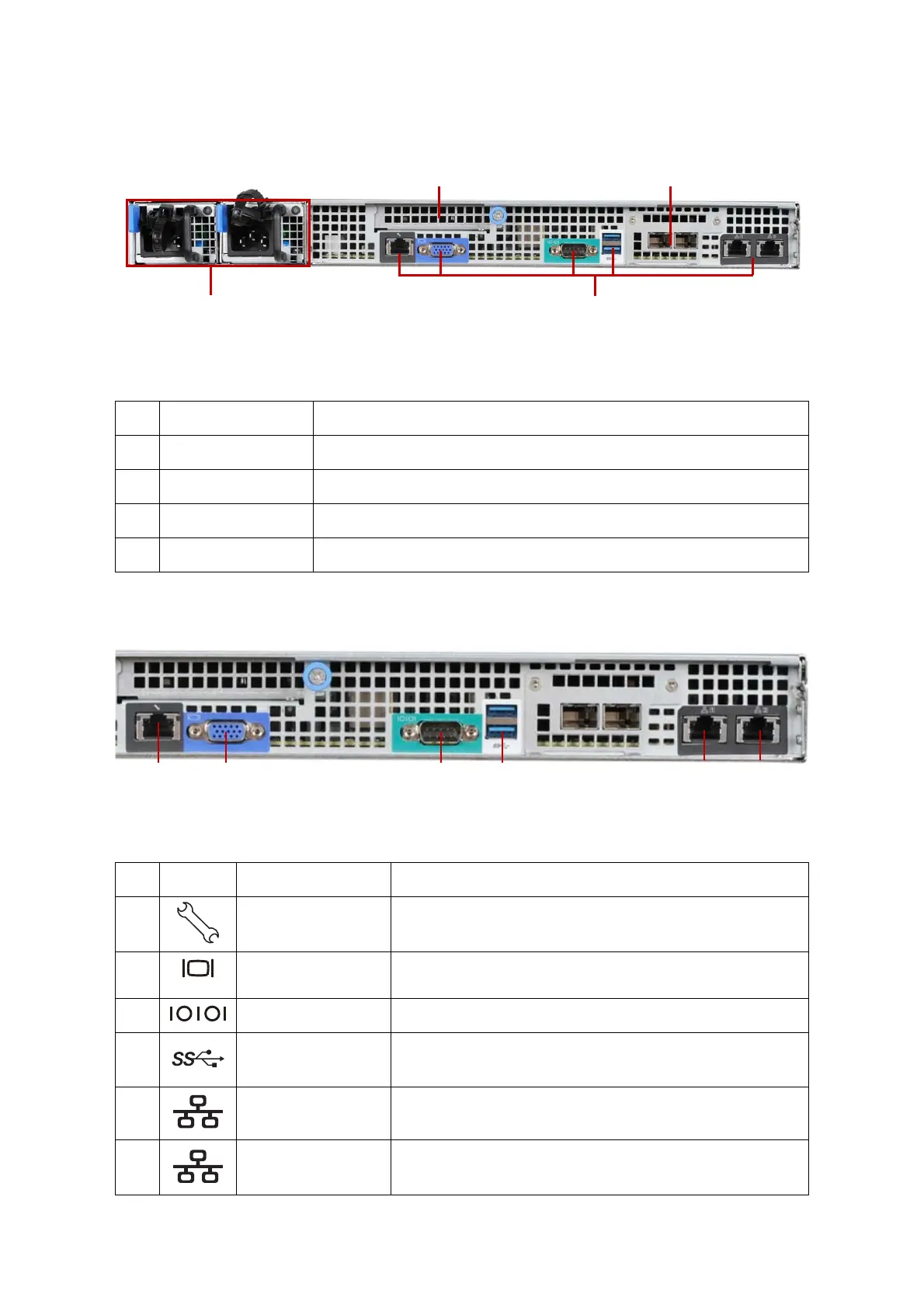
System Rear View
Figure 1-6. System Rear View
System Rear I/O
Figure 1-7. System Rear I/O
Table 5: System Rear View
NO.FEATURE DESCRIPTION
1 Expansion slot Supports Quanta mezzanine only
2 Expansion slot Supports OCP mezzanine only
3 System I/O ports See System Rear I/O on page 1-8
4 Power sub-system Power supply unit (PSU). See Power Sub-System on page 1-9
Table 6: System Rear I/O Defintition
NO.ICON NAME DESCRIPTION
1 Dedicated NIC Dedicated RJ45 connector
2VGA connector
Maximum display resolution: 1920x1200 32bpp@60Hz
(reduced blanking)
3 COM port A DB9 port (Serial_A) for debug or terminal concentrator
4 USB ports USB 3.0 port 0/1
5NIC1 RJ45 connector
6NIC2 RJ45 connector



 To Next Page