ABOUT THE SYSTEM LED STATUS DEFINITIONS
1-10
LAN LED
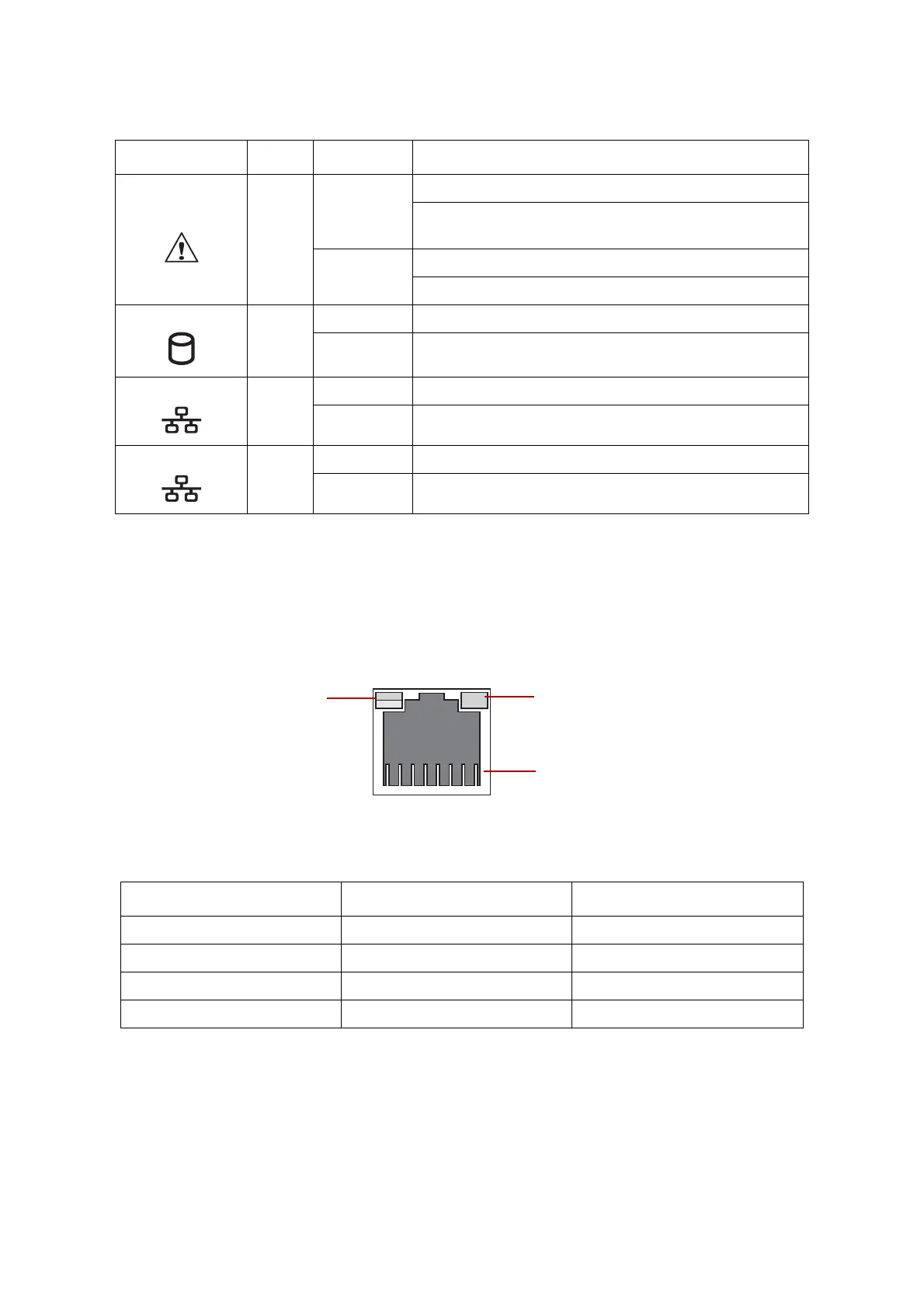
The system mainboard includes an optional dual 1GbE network with 1GbE dedicated
management port with an optional 10G SPF+ OCP network mezzanine card. Each RJ45
connector has two built-in LEDs. See the following illustration and table for details.
Figure 1-11. RJ45 LAN Connector
Fault LED
Amber
Blinking
Critical Failure: critical fan, voltage, temperature state.
Non-Critical Failure: non-critical fan, voltage, temperature
state, CPU thermal trip, DC off.
Off
SEL cleared
Last pending warning or error has been de-asserted.
HDD activity
Blue
Blinking Hard disk drive access (only on board SATA port)
Off No access (non-SAS)
LAN1 LED
Blue
On Link
Blinking LAN access (off when there is traffic)
LAN2 LED
Blue
On Link
Blinking LAN access (off when there is traffic)
Table 9: RJ45 LED Description
CONDITION SPEED LINK / ACTIVITY
Unplugged Off Off
1G active link On amber Blinking green
100M active link On green Blinking green
10M active link Off Blinking green
Table 8: Front Control Panel LED Behavior (Continued)
NAME COLOR CONDITION DESCRIPTION
Speed
Link / Activity
PIN 1
Location



 To Next Page