12
Comfort Adjustments
After becoming familiar with your power chair’s operation,
you may nd the need to make some adjustments to increase
your comfort, such as seat height and angle, armrest width,
angle, and height, foot platform height, depth, and angle,
and controller position.
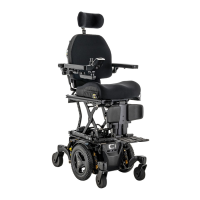
NOTE: If your power chair is equipped with a Q4 Seat
Power Positioning System, refer to the seat adjustment
information contained in separate manuals.
The center of gravity of your power chair was factory set
to a position that meets the needs of the demographic
majority of users. Your Quantum Rehab Provider has
evaluated your power chair and made any necessary
adjustments to suit your specic requirements. Do
not change your seating conguration without rst
contacting Quantum Rehab or your Quantum Rehab
Provider.
Some power chair components are heavy. You may
need assistance to lift or carry them. Please refer to
the specications table for specic component weights
before you disassemble the power chair.
Remove the occupant from the power chair before
making any adjustments.
You may need the following to make comfort adjustments:
metric/standard socket set and ratchet
adjustable wrench
metric/standard hex key set
thread lock
WARNING!
Controller Position
You can move the controller in toward or out away from the
armrest, or change the position of the controller for either
left-hand or right-hand use.
Prevent controller harness damage! Avoid routing the
controller harness on the outside of the armrest pad.
Route the harness under the armrest or toward the
inside of the armrest pad. Use correct tie-down points
for the controller harness to prevent the harness from
getting caught in the drive tires, pinched in the seat
frame, or damaged when passing through doorways.
To change the controller position:
1. Turn o the power to the controller.
2. Remove the controller harness from the clips securing it
to the armrest.
3. Loosen the mounting screws in the controller mounting
block. .
4. Move the controller mounting block and controller to the
other armrest, tighten the mounting screws, and ensure
the release lever is secure.
To change the controller extension:
1. Turn o the power to the controller.
2. Remove the controller harness from the clips securing it
to the armrest.
3. Flip and then rotate the release lever to loosen the
clamp.
4. Slide the controller into or out of the armrest to the
desired position.
5. Rotate and ip the release lever to tighten the clamp.
6. Route the controller harness to the back of the power
base and secure it with clips.
To change the controller height:
1. Turn o the power to the controller.
2. Remove the controller harness from the clips securing it
to the armrest.
3. Flip and then rotate the release lever to loosen the
clamp.
4. Adjust the controller to the desired height.
5. Rotate and ip the release lever to tighten the clamp.
6. Route the controller harness to the back of the power
base and secure it with clips.
NOTE: If your power chair is equipped with a Q4 Seat
Power Positioning System, refer to the seat adjustment
information contained in separate manuals.
MANDATORY!
COMFORT ADJUSTMENTS


 To Next Page