Quantum Scalar i500: Rackmount Kit Installation
6-01492-04 Rev A
December 2013
12 Installing the Bottom Module in the Rack
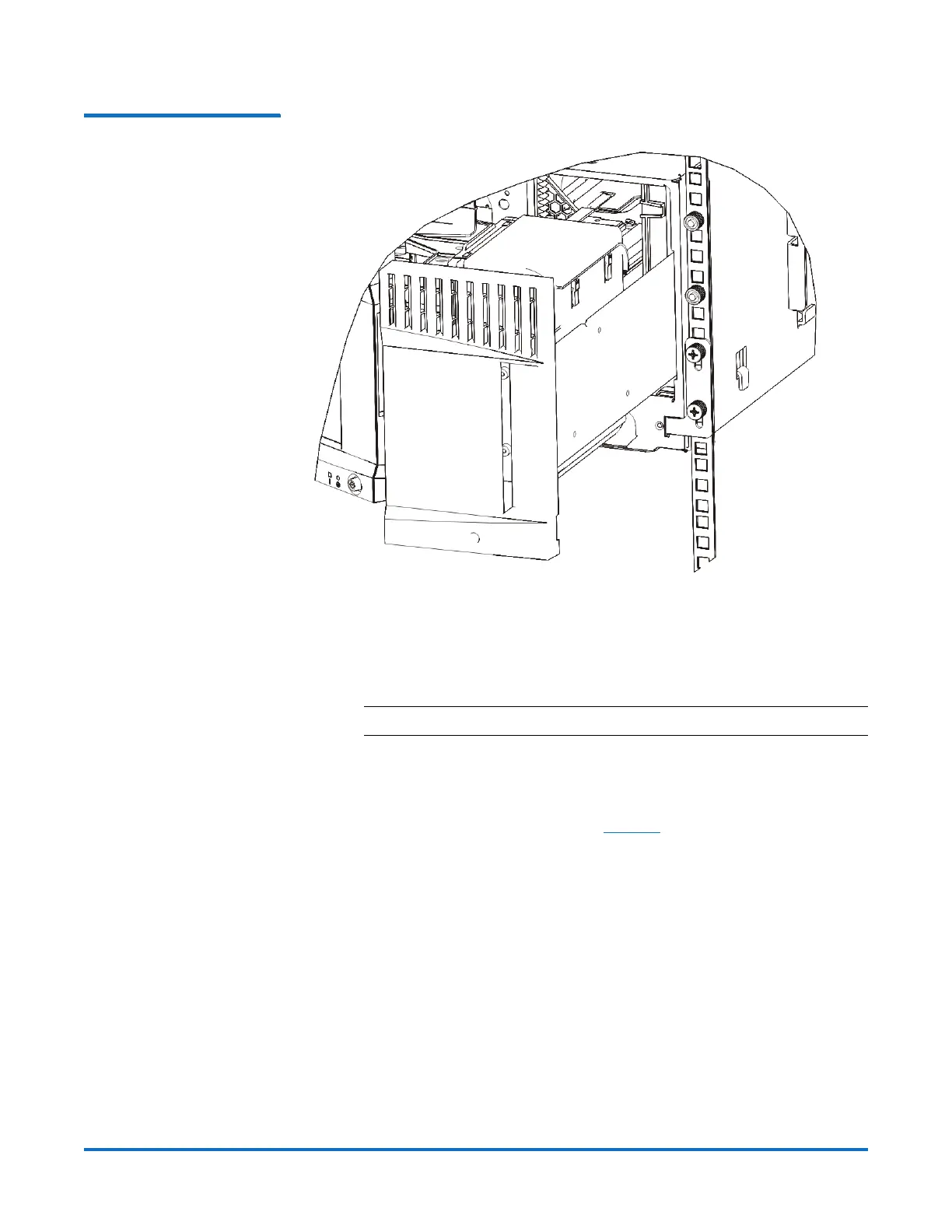
Figure 6 Right Rack Ear Hinge
Attached to Rack
6 Install the left rack ear:
a With the I/O station door open, open the left door (the access door) of
the module and pull the door toward you to access the slot located in
the lower left corner of the module. (The flexible door hinge allows the
door to be pulled away from the module, providing access to the slot.)
Note: You may need to pull the door toward you to access the slot.
b Install the left rack ear in the same manner as the right rack ear.
c Using two M5 thumbscrews, fasten the rack ear to the rack. The
thumbscrews should thread through the nut clips (or cage nuts) and
fasten completely and evenly (see
Figure 7 on page 13).


 To Next Page
 Loading...