EasyManua.ls Logo

Quantum 4000 - User Manual

Quantum 4000
88 pages
Print Icon
To Next Page IconTo Next Page
Loading...
The 4000/7000DLT
Tabletop Series
Installation and
Operation Guide

Table of Contents

Questions and Answers

  • L
    Lori MartinOct 30, 2025
    Why is my Quantum Storage 4000/7000DLT Series unit not being recognized?
    • B
      buchanantiffanyOct 30, 2025
      If your system isn't recognizing the Quantum 4000/7000DLT Series storage unit, here's what you can check: * **SCSI ID:** Ensure the SCSI ID is unique. If not, change it and reconfigure your system. Remember, the new ID takes effect after you power cycle the unit. * **SCSI Adapter:** Verify that the parameters for your SCSI adapter are correct by checking its installation. * **SCSI Cable:** Make sure the SCSI signal cable is firmly connected at both ends, and the bail locks are secure. * **SCSI Terminator:** Install the terminator properly, ensuring it's fully seated and the bail locks are secure. * **SCSI Bus Termination:** If the unit is the only device on the bus, ensure the terminator is installed on the 4000/7000DLT. Otherwise, check cable connections and ensure the terminat...

Summary

Description

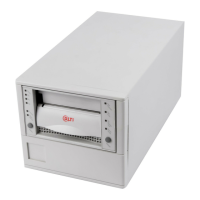
Front Panel Controls and Indicators

Shows and describes front panel controls and indicators.

Rear Panel Controls and Connectors

Describes controls and connectors on the rear panel of the 7000DLT Series.

Safety

Safety Conventions

Explains symbols and signal words used for safety throughout the document.

Precautions

Provides essential safety precautions for operation and maintenance.

Installation

Setting the SCSI ID

Guides on configuring the SCSI ID for each device on the bus.

Check the SCSI Bus Termination

Explains SCSI bus termination requirements for proper operation.

Connecting Power and Turning On

Step-by-step instructions for connecting power and powering up.

Operation and Maintenance

Drive Status

Explains the drive's operational states and corresponding LED indicators.

LED Indicators

Lists and describes the function of each front panel LED.

Drive Operating Conditions

Details drive operating conditions based on right indicator panel LEDs.

Left Indicator Panel LED Indicators

Details drive operating conditions based on left indicator panel LEDs.

Loading the Data Cartridge

Step-by-step guide for loading a data cartridge into the drive.

Removing the Data Cartridge

Provides steps to unload and remove a data cartridge.

Cleaning the Tape Head

Explains when and how to clean the drive head.

Using the Cleaning Tape

Provides guidance on when and how to use the cleaning tape.

Troubleshooting and Diagnostic

Troubleshooting Chart

A table to help diagnose and resolve operational failures.

Specification

General Specification

Contains specification information for the 4000/7000DLT Series.

Drive Configuration

Drive Dependent Configuration

Describes options selectable by installing jumpers on the DLT Tape Drives.

Quantum 4000 Specifications

General IconGeneral
BrandQuantum
Model4000
CategoryStorage
LanguageEnglish

Related product manuals