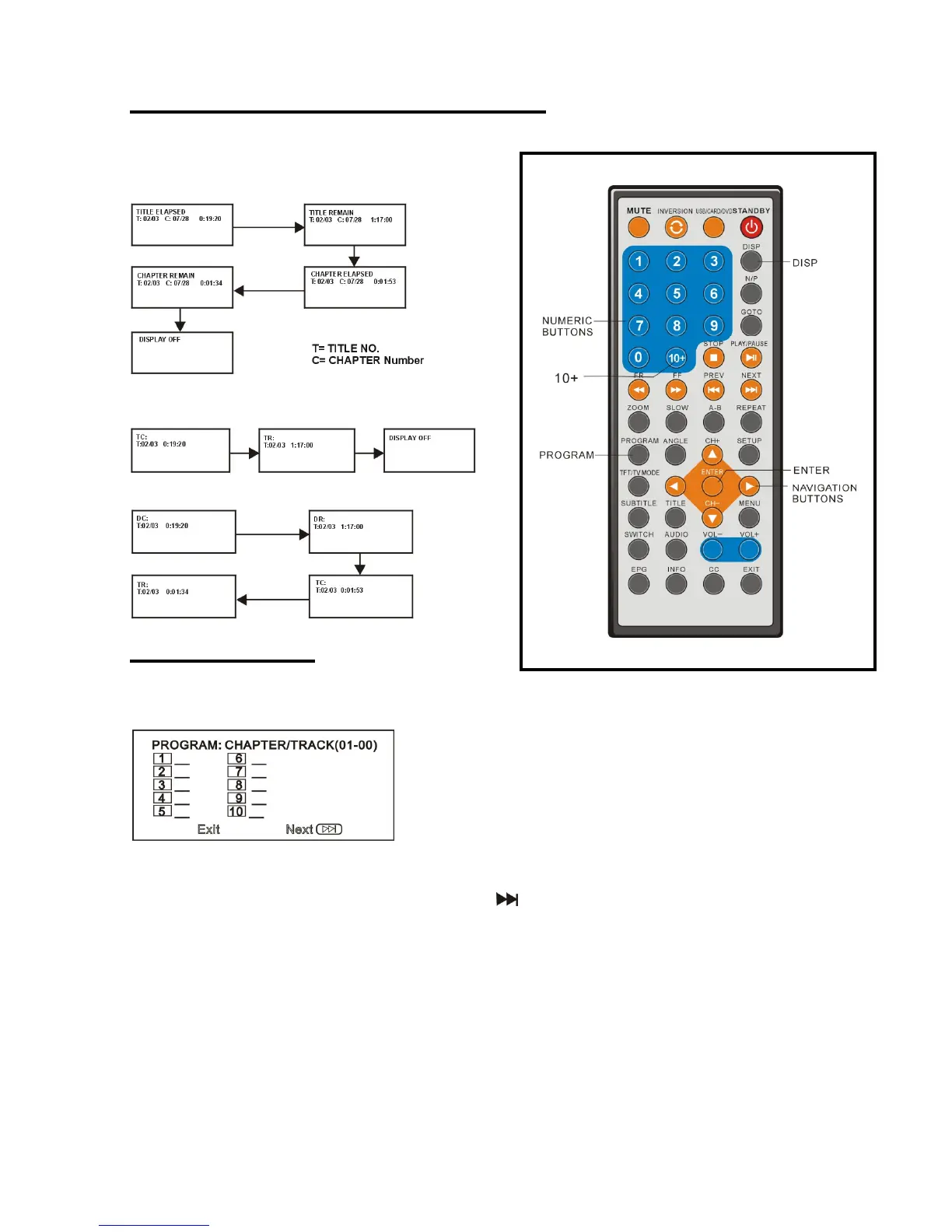
On screen display information
Press DISP button to display playing information.
DVD disc
VCD disc
CD disc
Program play
The player plays the files in the desired order.
1. Press PROGRAM button and the screen will display the program menu.
2. Press navigation buttons to choose memory index and then press ENTER button to start
input. Enter desired titles/chapters numbers by using the numeric buttons. The selected
titles/chapters are stored into the memory. Select on the menu to see the next page. Up
to 20 memories can be stored.
NOTE: Leading zero is not necessary. If the track number is more than 10, press the 10+ key
first and then the unit digit.
Example: Track 12, press "10+" and then "2"
Track 21, press "10+" twice and then "1"
3. Select START on the menu and press ENTER button to start program play or select EXIT
on the menu and press ENTER button to exit without program play.
4. To stop the program, press PROGRAM button select STOP on the menu, then press
ENTER button.


 To Next Page