◆ Weather channels
The transceiver has 10 pre-programmed weather channels. The transceiver can
automatically detect a weather alert tone on the selected weather channel while receiving
the channel or during scanning.
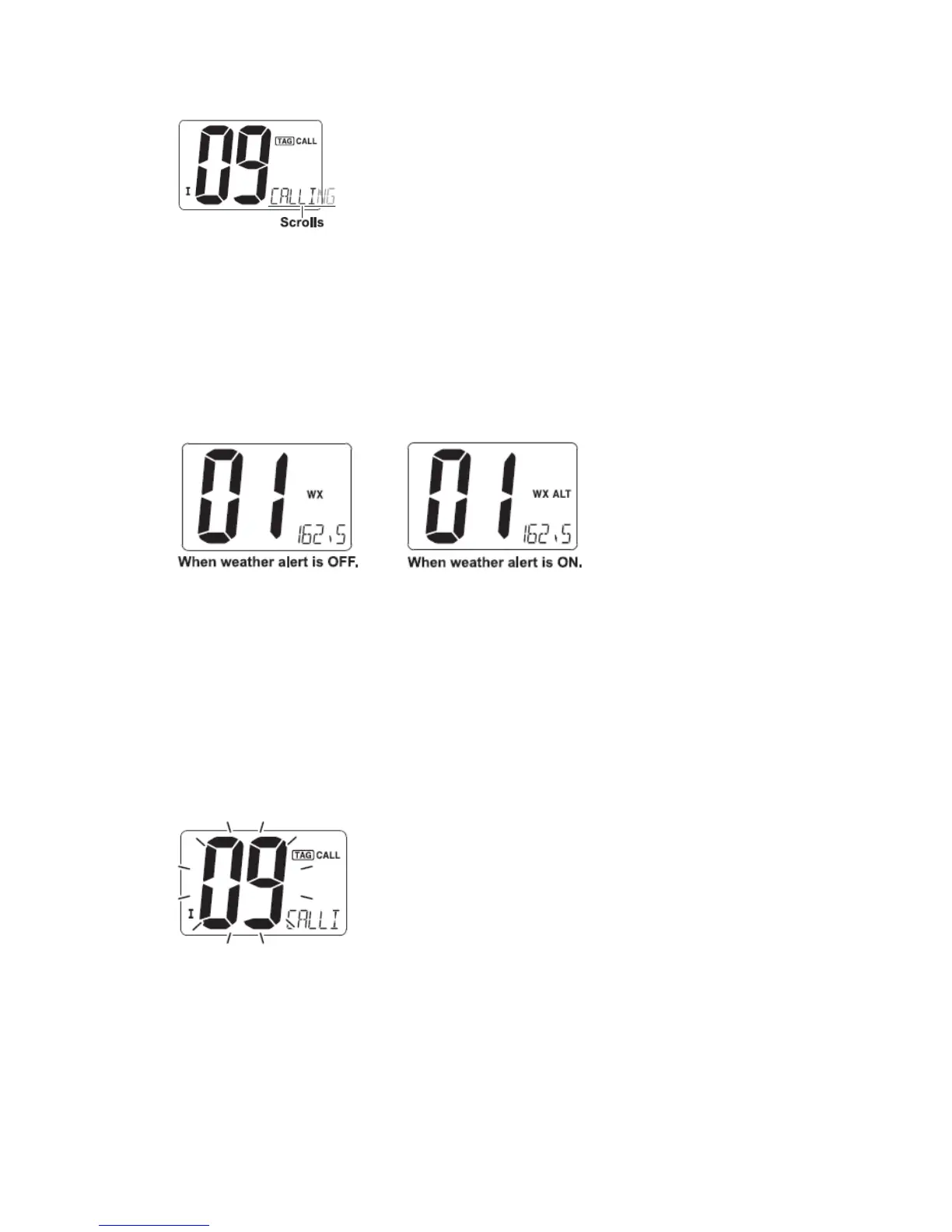
① Push [CH/WX] once or twice to select a weather channel.
· “WX” appears when a weather channel is selected.
· “WX ALT” appears when the weather alert function is in use.
② Push [▲] or [▼] to select a channel.
■ Call channel programming
Call channel is used to select Channel 9 (default), however, you can program the call
channel with your most offer-used channel in each channel group for quick recall.
① Push [U/I/C] (both [▲] and [▼] on the transceiver several times to select the desired
channel group (U.S.A., International or Canada) to be programmed.
② Push and hold [16] for 1 sec. to select the call channel of the selected channel group.
·“CALL” and call channel number appear.
③ Push and hold [16] again for 3 sec. (until a long beep changes to 2 short beeps) to
enter call channel programming condition.
·Channel number starts blinking.
④ Push [▲] or [▼] to select the desired channel.
⑤ Push [16] to program the displayed channel as the call channel.
·Push [CH/WX] to cancel.


 To Next Page