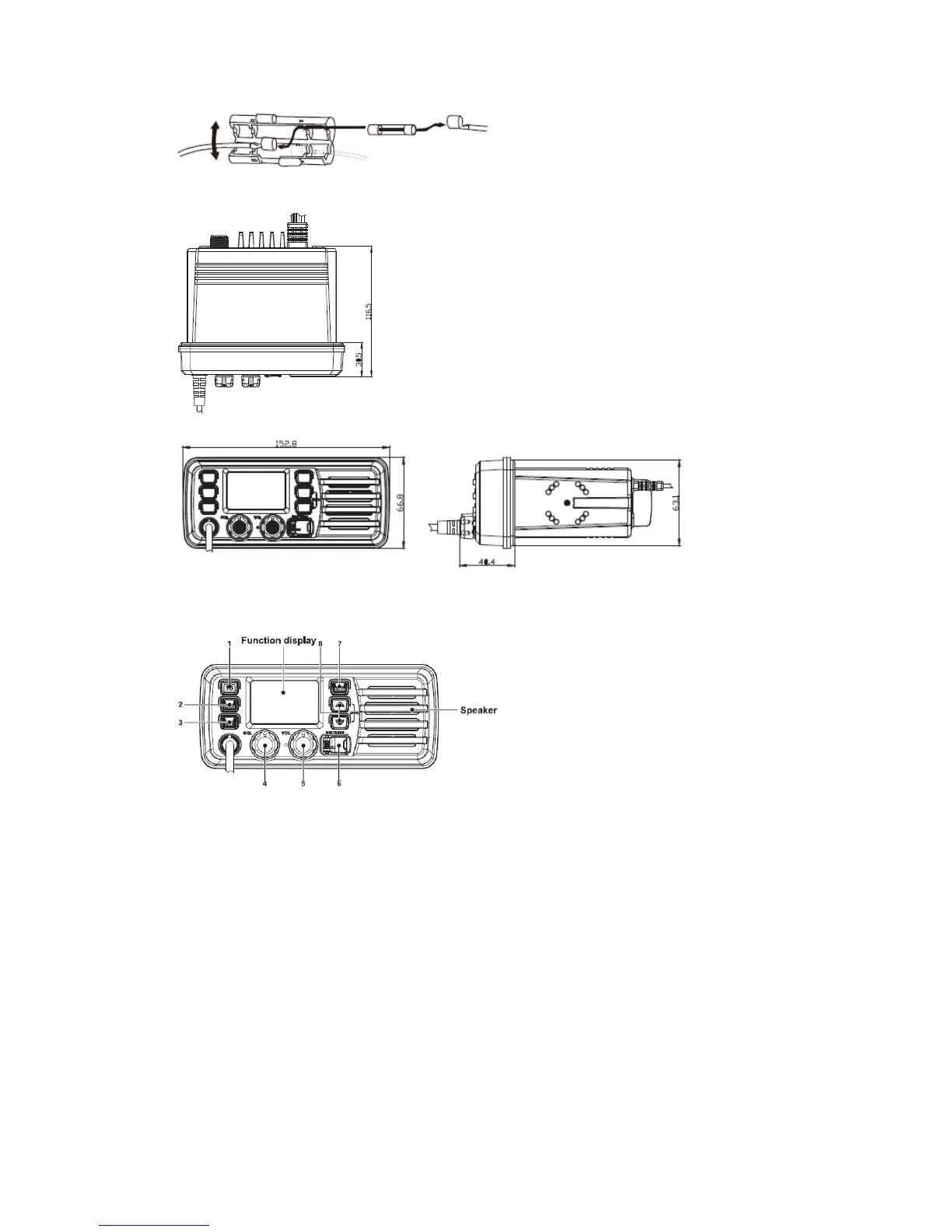
■ Dimensions
PANEL DESCRIPTION
■ Front panel
1. Channel 16 / Call Channel Key [16]
→ Push to select Channel 16.
→ Push and hold for 1 sec. to select call channel.
· “CALL” appears when the call channel is selected.
→ While pushing and holding [CH/WX], push [16] to enter the channel comments
programming condition.
→ Push to move the cursor backward.
→ While turning power ON, push [16] to enter set mode.
2. Channel / Weather Channel Key
→ Select and toggle the regular channel and weather channel when pushed
momentarily.
→ Push and hold for 1 sec. to start Dualwatch or Tri-watch.
→ Push to stop Dualwatch or Tri-watch when either is activated.


 To Next Page