·If a weather channel appears, push [CH/WX] again.
② Push [U/I/C] (both [▲] and [▼] on the transceiver to change the channel group, if
necessary.
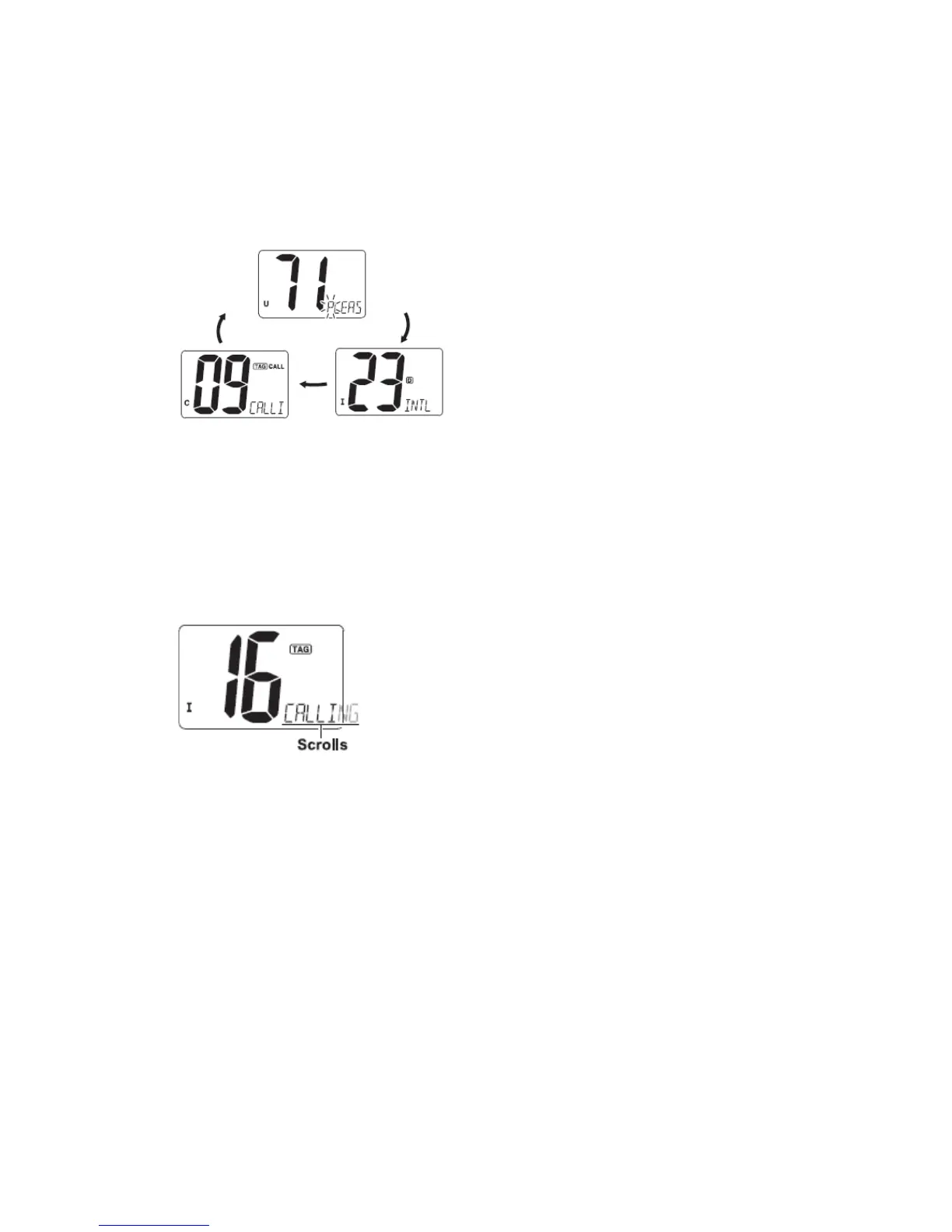
·U.S.A., International and Canadian channel groups can be selected in sequence.
③ Push [▲] or [▼] to select a channel.
·“D” appears for duplex channels.
■ Channel selection
◆ Channel 16
Channel 16 is the distress and safety channel. It is used for establishing initial contact with
a station and for emergency communication. Channel 16 is monitored during both
Dual-watch and Tri-watch. While standing by, you must monitor Channel 16.
① Push [16] momentarily to select Channel 16.
② Push [CH/WX] to return to the condition before selecting Channel 16, or push [▲] or
[▼] to select operating channel.
Convenient:
When the favorite channel function is turned ON, [▲]/[▼] keys on the microphone select
the favorite channels in the selected channel group in sequence when pushed.
·The favorite channels are set by the TAG channel setting. (P.10)
◆ Channel 9 (Call channel)
Each regular channel group has a separate leisure-use call channel (Channel 9; default).
The call channel is monitored during Tri-watch.
① Push and hold [16] for 1 sec. to select the call channel of the selected channel group.
“CALL” and call channel number appear.
② Push [CH/WX] to return to the condition before selecting call channel, or push [▲]
or [▼] to select a channel.


 To Next Page