■ Channel comments
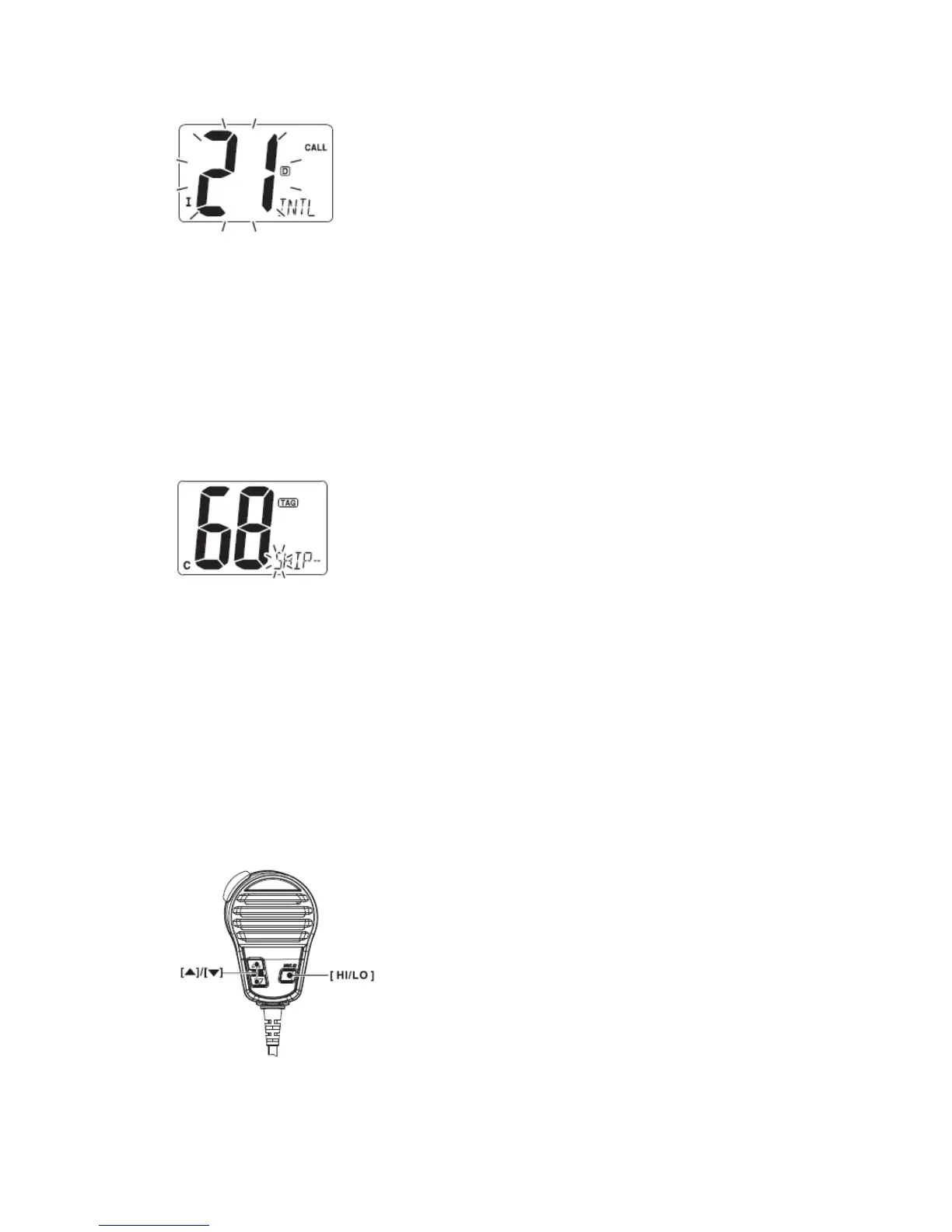
Memory channels can be labeled with a unique alphanumeric ID of up to 10 characters
each. More than 6 characters comment scrolls automatically at the channel comment
indicator after the channel selection.
Capital letters, small letters (except f, j, k, p, s, v, x, z), 0 to 9, some symbols (=﹡+ - . /)
and space can be used.
① Select the desired channel.
·Cancel Dualwatch, Tri-watch or scan in advance.
② While pushing [CH/WX], push [16] to edit the channel comment.
·A cursor and the first character start blinking alternately.
③ Pushing [▲] or [▼] to select the desired character.
·Push [16] or [CH/WX] to move the cursor forward or backward, respectively.
④ Repeat step ③ to input all characters.
⑤ Push [DSC] to input and set the comment.
·Push [SCAN] to cancel.
·The cursor and the character stop blinking.
■ Microphone lock function
The microphone lock function electrically locks [▲] and [▼] keys on the supplied
microphone. This prevents accidental channel changes and function access.
→ While pushing and holding [HI/LO] on the microphone, turn power ON to toggle the
microphone lock function ON and OFF.
■ Display backlighting
The function display and keys can be backlit for better visibility under low light conditions.


 To Next Page