→ While pushing and holding [SCAN], push [▲] or [▼] to adjust the brightness of the
LCD and key backlight.
·The backlight is selectable in 3 levels and OFF.
■ Vibration water draining function
Vibration Draining helps drain water away from the speaker housing (water that might
otherwise muffle the sound coming from the speaker). The transceiver emits a vibrating
noise when this function is being used.
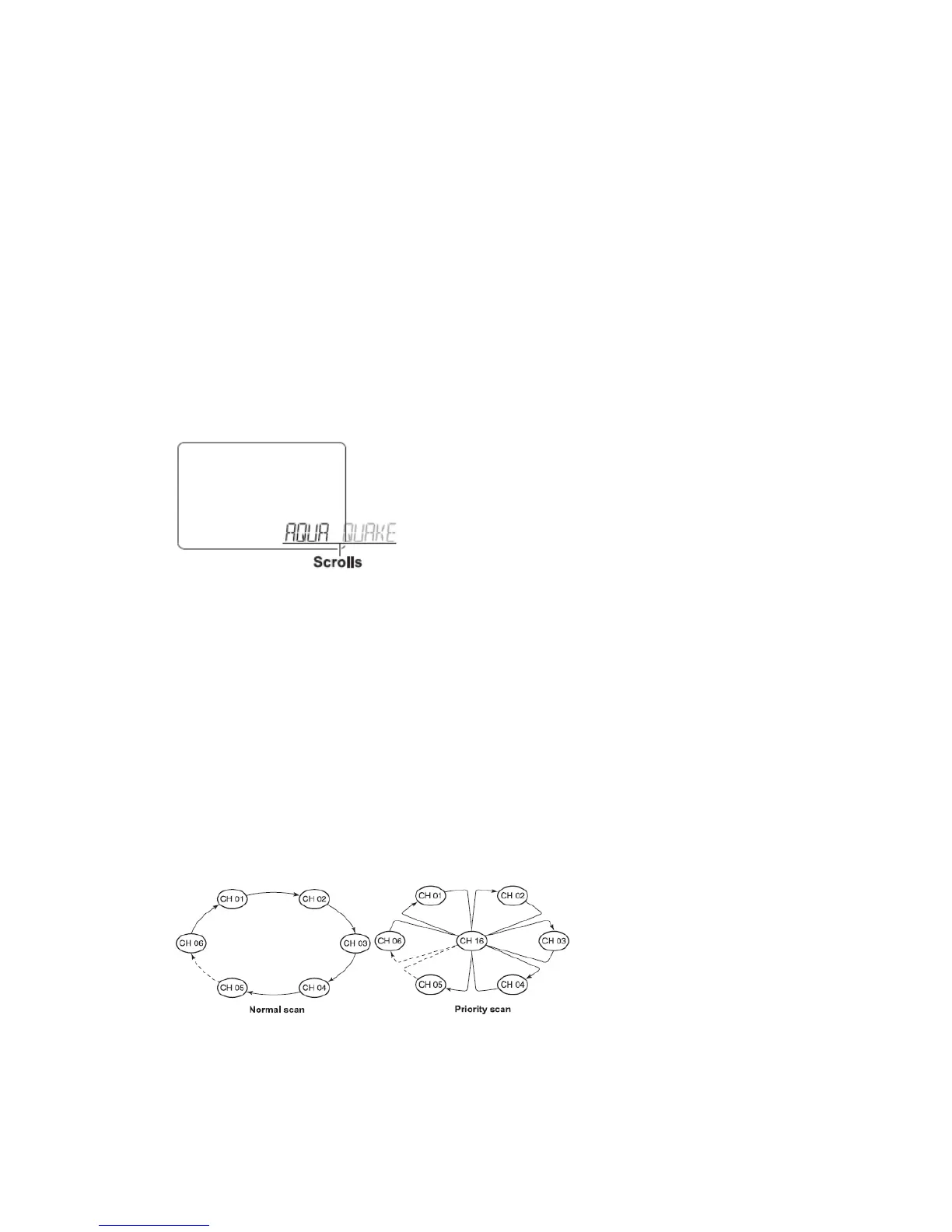
① While pushing and holding [▲] and [▼], turn power ON.
· “AQUA QUAKE” appears.
② A low beep tone sounds while [▲] or [▼] keys are held to drain water, regardless of
[VOL] control setting.
·The transceiver never accepts a key operation while the Vibration Draining function is
activated.
SCAN OPERATION
■ Scan types
The transceiver has priority scan and normal scan. (Refer to set mode programming).
When the weather alert function is turned ON, the previously selected (last used) weather
channel is also checked while scanning.
Set the TAG channels (scanned channels) before scanning. Clear the TAG channels
which inconveniently stop scanning.
Normal scan:
Normal scan searches through all TAG channels in sequence. Channel 16 is not checked
unless Channel 16 is set as a TAG channel.
Priority scan:
Priority scan searches though all TAG channels in sequence while monitoring Channel
16.
■ Setting TAG channels
For more efficient scanning, add desired channels as TAG channels or clear the TAG for
unwanted channels.
Channels that are not tagged will be skipped during scanning.


 To Next Page