◆ Setting / clearing a single tagged channel
① Push [U/I/C] (both [▲] and [▼]) several times to select the desired channel group.
② Select the desired channel to be set as a TAG channel.
③ Push and hold [SCAN] for 1 sec. to set the displayed channel as a TAG channel.
·“TAG” appears in the display.
④ To cancel the TAG channel setting, repeat step ③.
·“TAG” disappears.
◆ Setting / clearing all tagged channels
① While pushing and holding [HI/LO] on the microphone, push [SCAN] for 3 sec. to clear
all TAG channels in the selected channel group.
② Repeat above procedure to set all TAG channels.
■ Starting a scan
Set scan resume timer in advance using Set mode.
① Push [SCAN] to start priority or normal scan.
·“SC” blinks during priority scan; “SCAN” blinks during normal scan.
·Channel 16 is monitored during priority scan.
·Push [▲] or [▼] to change the scanning direction.
·A beep tone sounds and “SC 16” blinks at the channel comment indicator when a signal
is received on Channel 16 during priority scan.
② To stop the scan, push [SCAN].
DUAL-WATCH / TRI-WATCH
■ Description
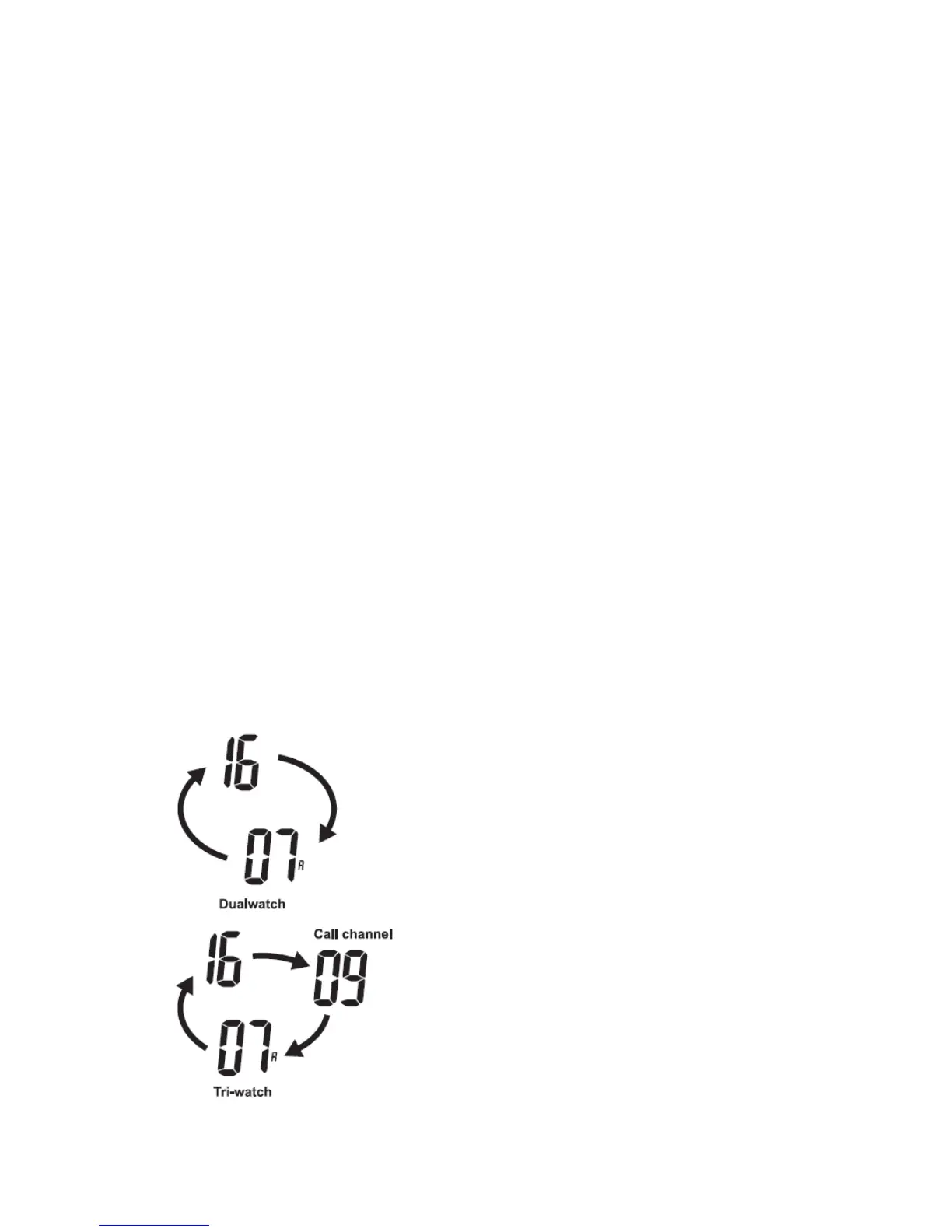
The transceiver has Dualwatch and Tri-watch.
Dualwatch monitors Channel 16 while you are receiving on another channel.
Tri-watch monitors Channel 16 and the call channel while receiving another channel.


 To Next Page