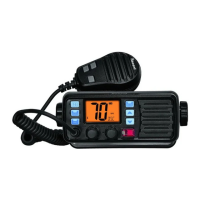
1. [PTT]
Push and hold to transmit; release to receive.
2. Channel UP / DOWN Keys [▲]/[▼]
→ Push either key to change the operating channel, set mode settings, etc.
→ When the favorite channel function is turned ON, push either key to select the
favorite channels in the selected channel group in sequence.
3. Transmit Power Key [HI/LO]
→ Push to toggle the power high and low.
·Some channels are set to low power only.
→ While push and hold [HI/LO], turn power ON to toggle the microphone lock function
ON and OFF.
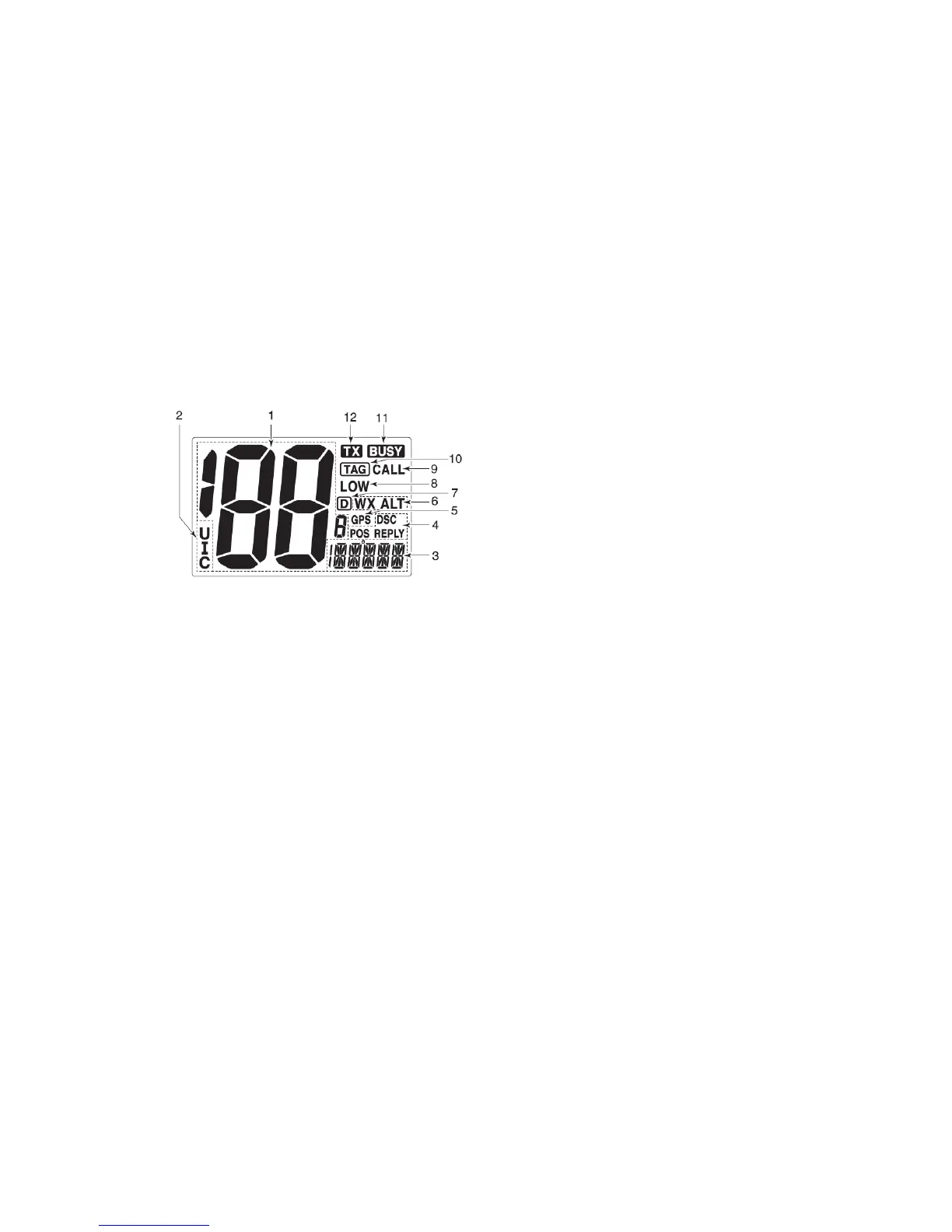
■ Function display
1. Channel Number Readout
→ Indicate the selected operating channel number. (Refer to channel list)
→ In set mode, indicate the selected condition.
2. Channel Group Indicator
Indicate whether a U.S.A. “U”, International “I” or Canadian “C” channel is in use.
3. Channel Comment Indicator
→ Channel comment appears if programmed.
→ “LOW BATTERY” scrolls when the battery voltage drops approx. 10.8V DC or
below.
→ “SC” blinks during priority scan; “SCAN” blinks during normal scan.
→ “DW” blinks during Dualwatch; “TW” blinks during Tri-watch.
4. DSC Indicators
→ “DSC” appears when a DSC call is received.
→ “POS REPLY” appears when a position reply call or position report reply call is
received.
5. GPS Indicator
→ Appears while valid position data is received.
→ Blinks when invalid position data is received.
→ Disappears when no GPS receiver is connected.
6. Weather Channel Indicator
→ “WX” appears when a weather channel is selected.
→ “WX ALT” appears when the weather alert function is in use; blinks when an alert
tone is received.


 To Next Page