QK-A024/26 Manual
V 3.0 5 of 16 2020
3. Installation and Operation
3.1. Mounting
Location: Although A024/26 comes with an extruded aluminium enclosure to shield it from external RF
interference, it should not be fitted close to generators or compressors (e.g. refrigerators) as they can
generate substantial RF noise. It is designed to be installed in a protected indoor environment.
Generally, a suitable placement of A024/26 is together with other types of navigation equipment and the
PC or chart plotter that will be used to display the output data. A024/26 is designed to be securely
mounted to a suitable bulkhead or shelf in an indoor environment and needs to be placed where it is well
protected from humidity and water.
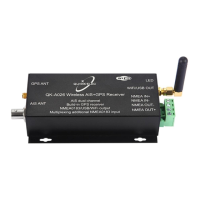
Figure 3: Dimensions
3.2. Power
The A024/26 is typically powered by PC, laptop, tablet or other devices with 5.0V micro USB connector.
If USB data output isn’t required (data outputs through WiFi or NMEA output port), a power bank or a
precise 5.0V supply with greater than 500mA current power source can be applied.
Please note: Ensure you use a reliable, precise 5.0V power supply, or use the QK-A013 12V to 5V low
noise converter. A poorly designed power supply could significantly degrade the performance of the
receiver.

 To Next Page
 Loading...